Letting Attio build my CRM for me
6 min read · about Attio ·

Letting Attio build my CRM for me
1 / 33

Written by
Eddy Bogomolov
Product designer for B2B free trials
Published
What you'll learn
- Why an aha that needs no work beats any onboarding tour
- Why blocking a Gmail sign-up costs more than it filters
- What to show after the aha: records, not loading screens and empty pages
Attio’s homepage says “Welcome to agentic revenue.” Its promise for someone like me is simpler: connect your inbox and it builds the CRM for you.
Letting Attio build my CRM for me, chapter by chapter
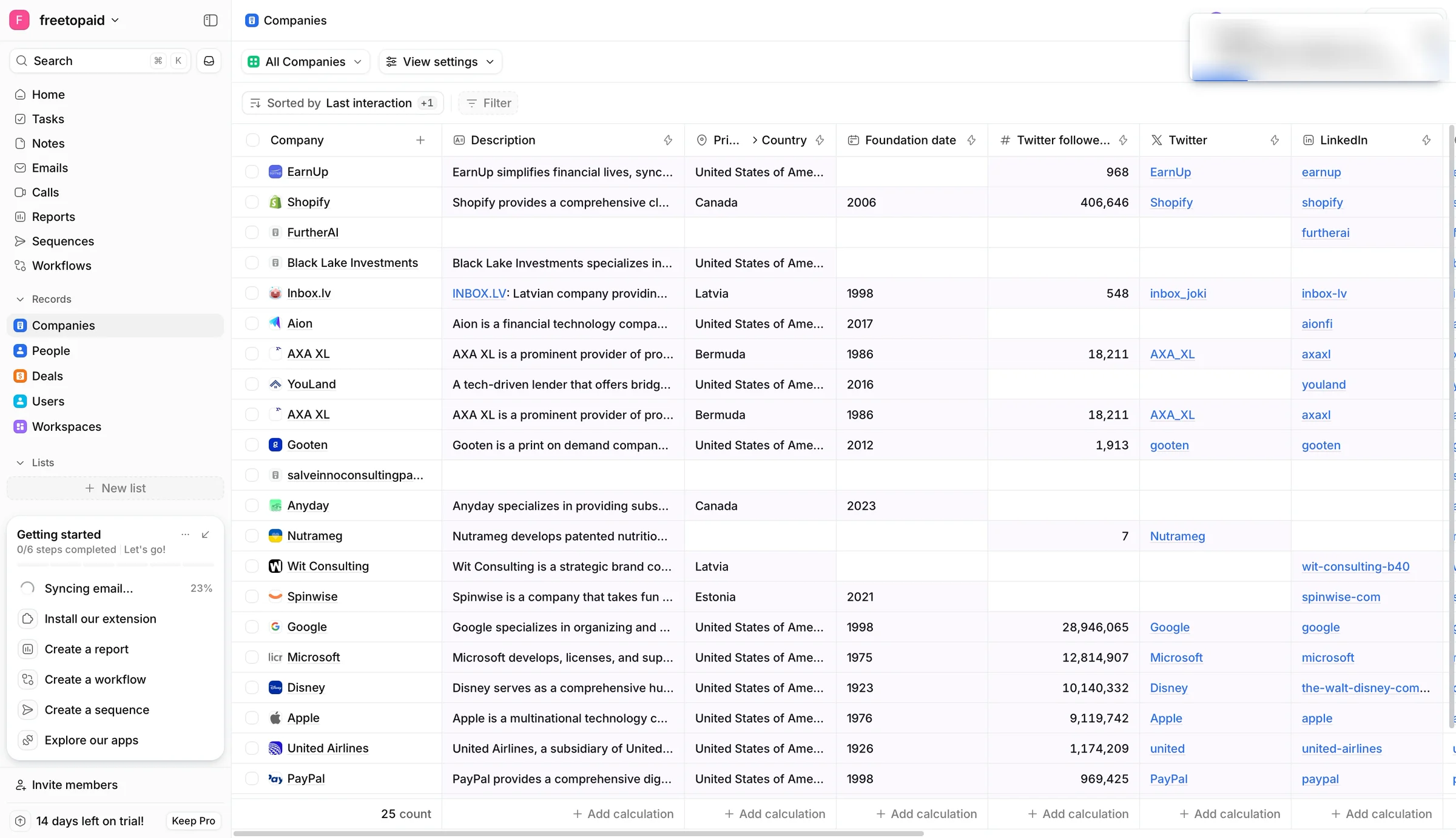
Attio's homepage says "Welcome to agentic revenue." Its promise for someone like me is simpler: connect your inbox and it builds the CRM for you.
In this story I run a one-person consultancy. My deals still live in my inbox. I just tried Pipedrive, and it handed me an empty pipeline. Attio says it can do better.
So I recorded my screen from the homepage to the first full table, and kept going for a few minutes after.
What I found:
- The aha needs no work from me. Connect the inbox, and the CRM fills itself while I watch.
- Getting there is the leak: a blocked Gmail, a code called a password, and nine screens of setup.
- After the aha, the trial goes quiet: a loading Home, empty pages, an annual-first checkout, and no sign of the AI from the homepage.
Let's get into it.
1. The promise: agentic revenue
Meet me. I run a one-person consultancy, and my deals still live in my inbox. Pipedrive gave me six empty columns. Attio says it can turn my email into a CRM.
The homepage starts bigger than that:
"Welcome to agentic revenue." Attio is the platform that builds pipeline, advances deals, and grows accounts around the clock.
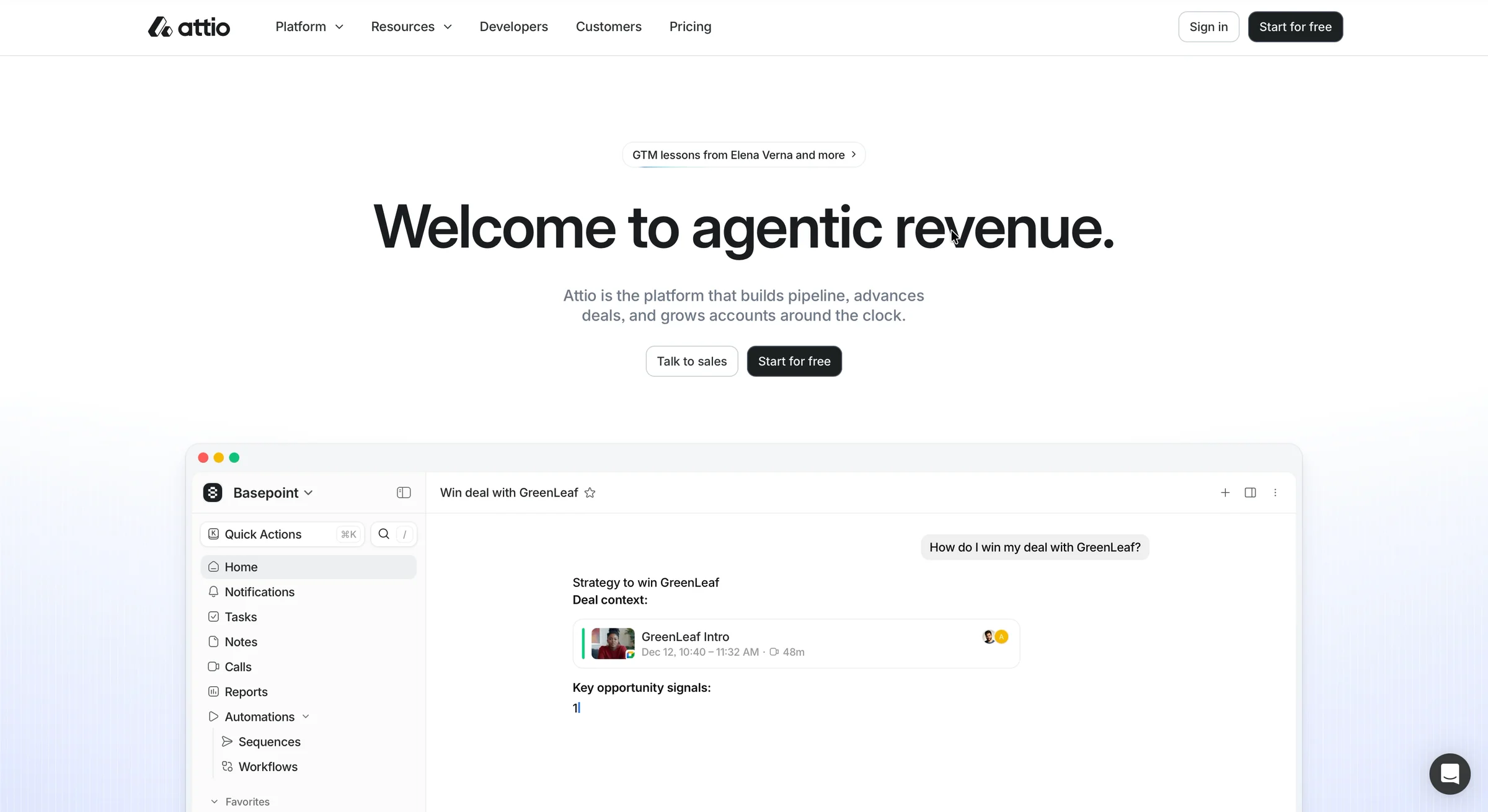
"Agentic revenue"? I didn't get it on the first read. So I asked ChatGPT:

Revenue that AI agents make for me, on their own? If that's the promise, I'm in.

But it took a chatbot to tell me. I click "Start for free".
2. Two walls before I'm in
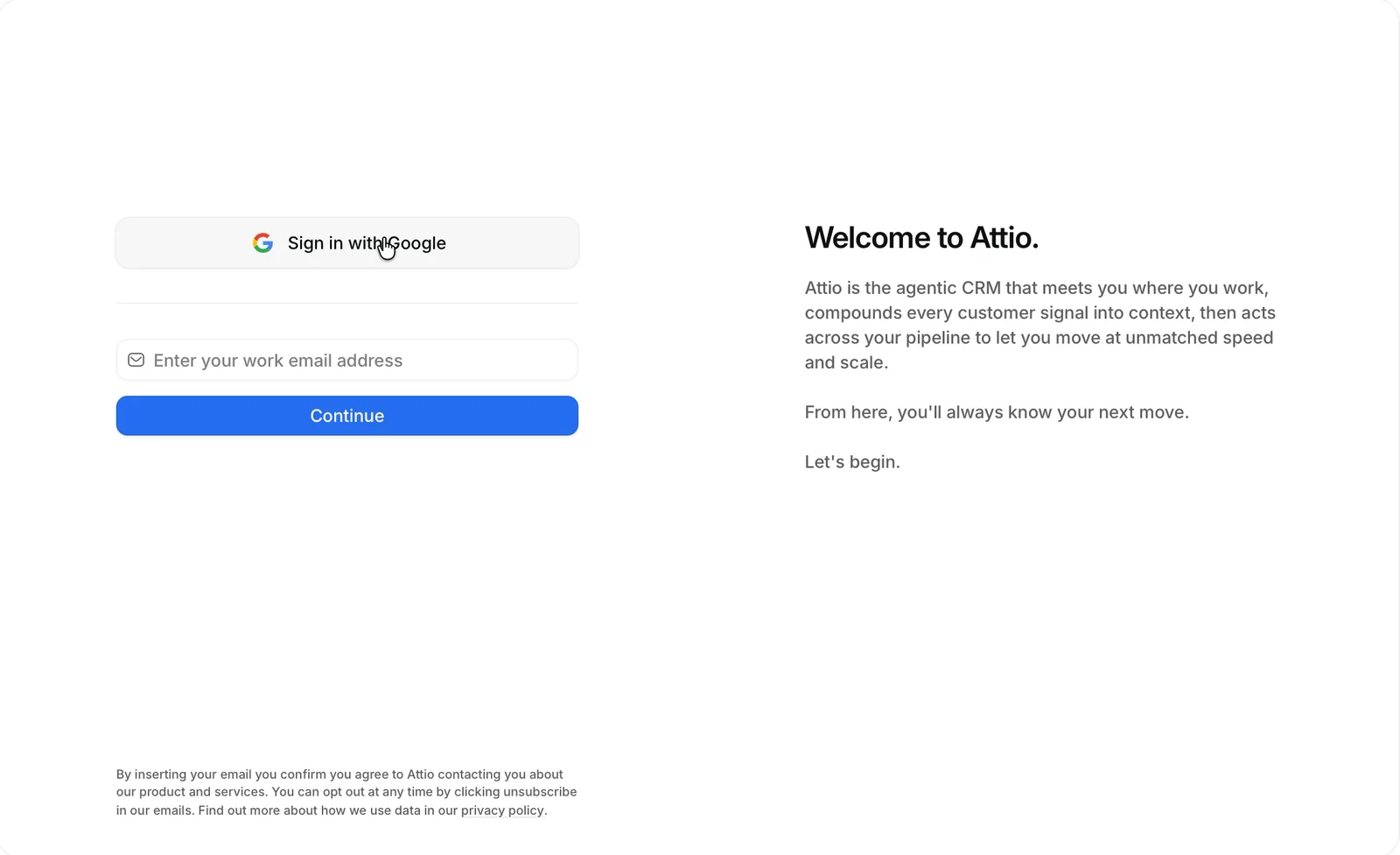
"Welcome to Attio." I click "Sign in with Google" and pick my Gmail.
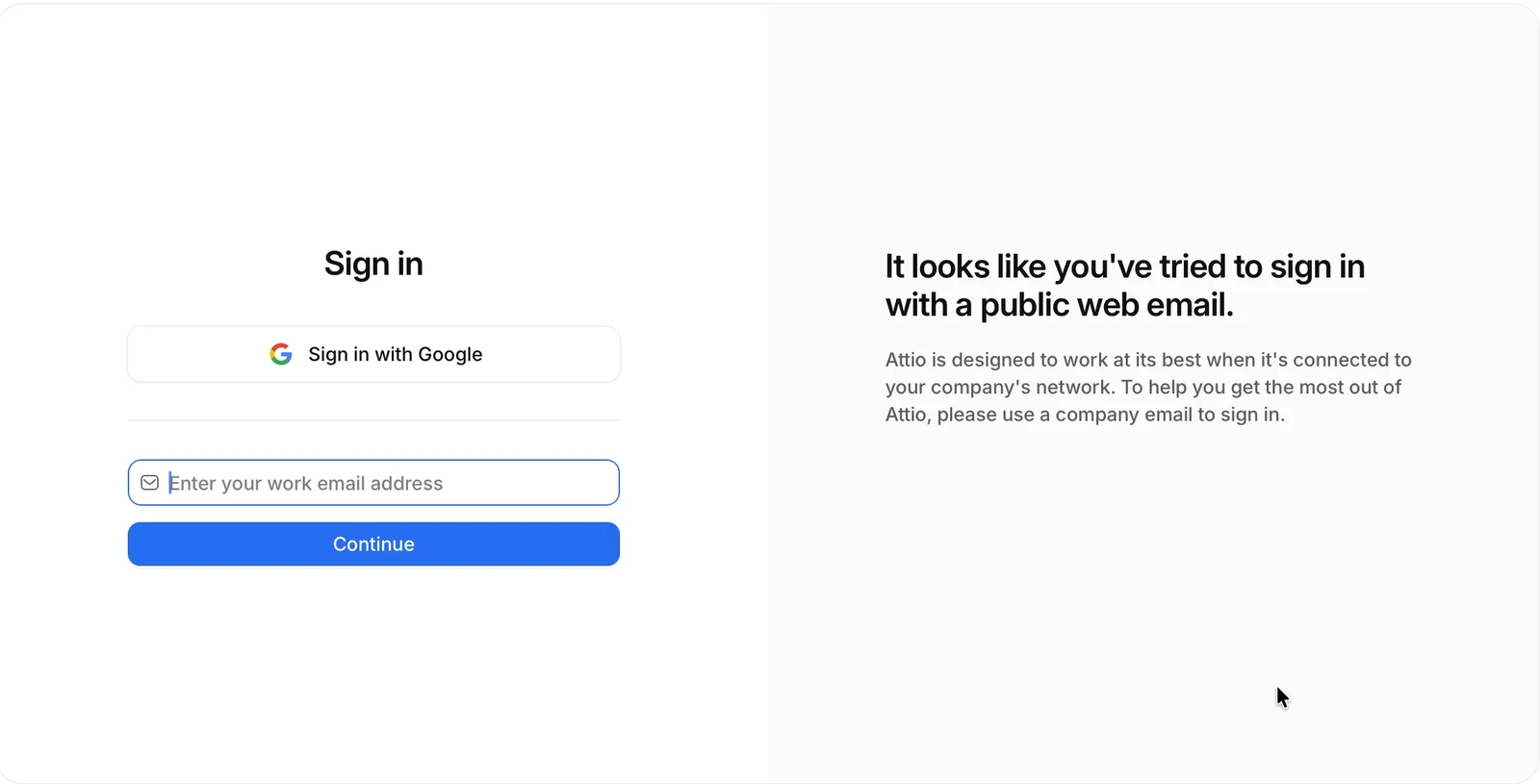
Blocked:
"It looks like you've tried to sign in with a public web email." Attio is designed to work at its best when it's connected to your company's network.
Work email it is. "Check your inbox! We've just emailed you a temporary password. Please enter it below." So I make up a password, like at any sign-up. "Temporary password is incorrect." Then I try numbers, like a code. Wrong again. The real one is eight letters, waiting in the email. Four tries in all.
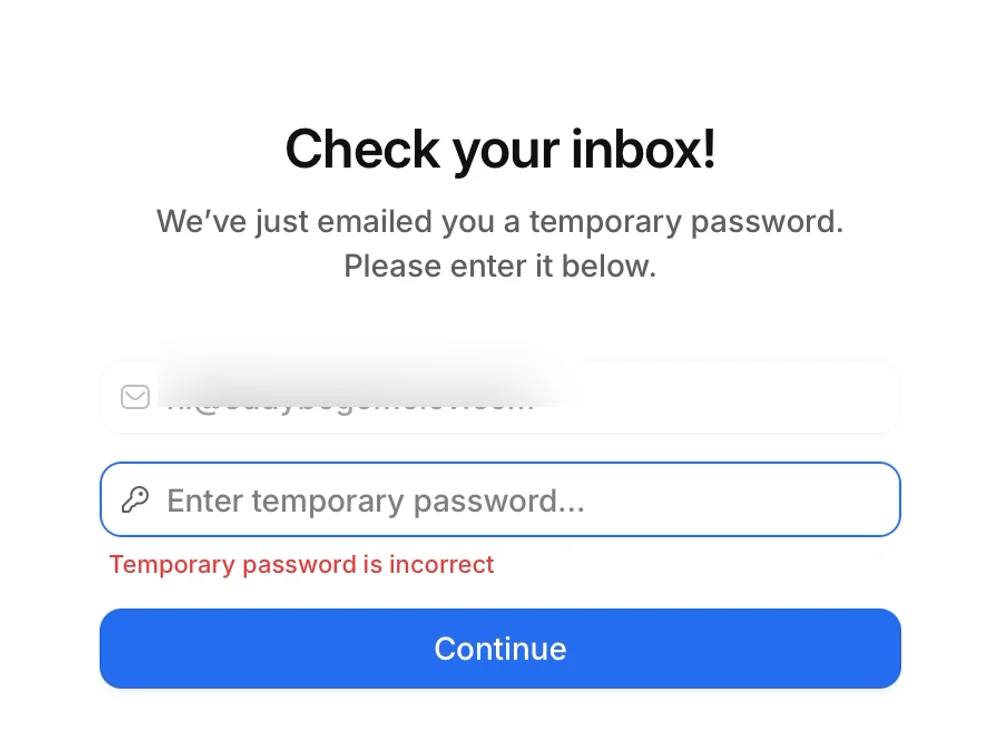
My mistake? I skimmed past "we've just emailed you". And a code usually comes with one box per digit, while a password is something I create. Attio gave me one wide field called "password", so I created one.

Here's how I'd design that screen: call it a code, say where it went, and give one box per character. Pasting the code fills every box and signs me in.
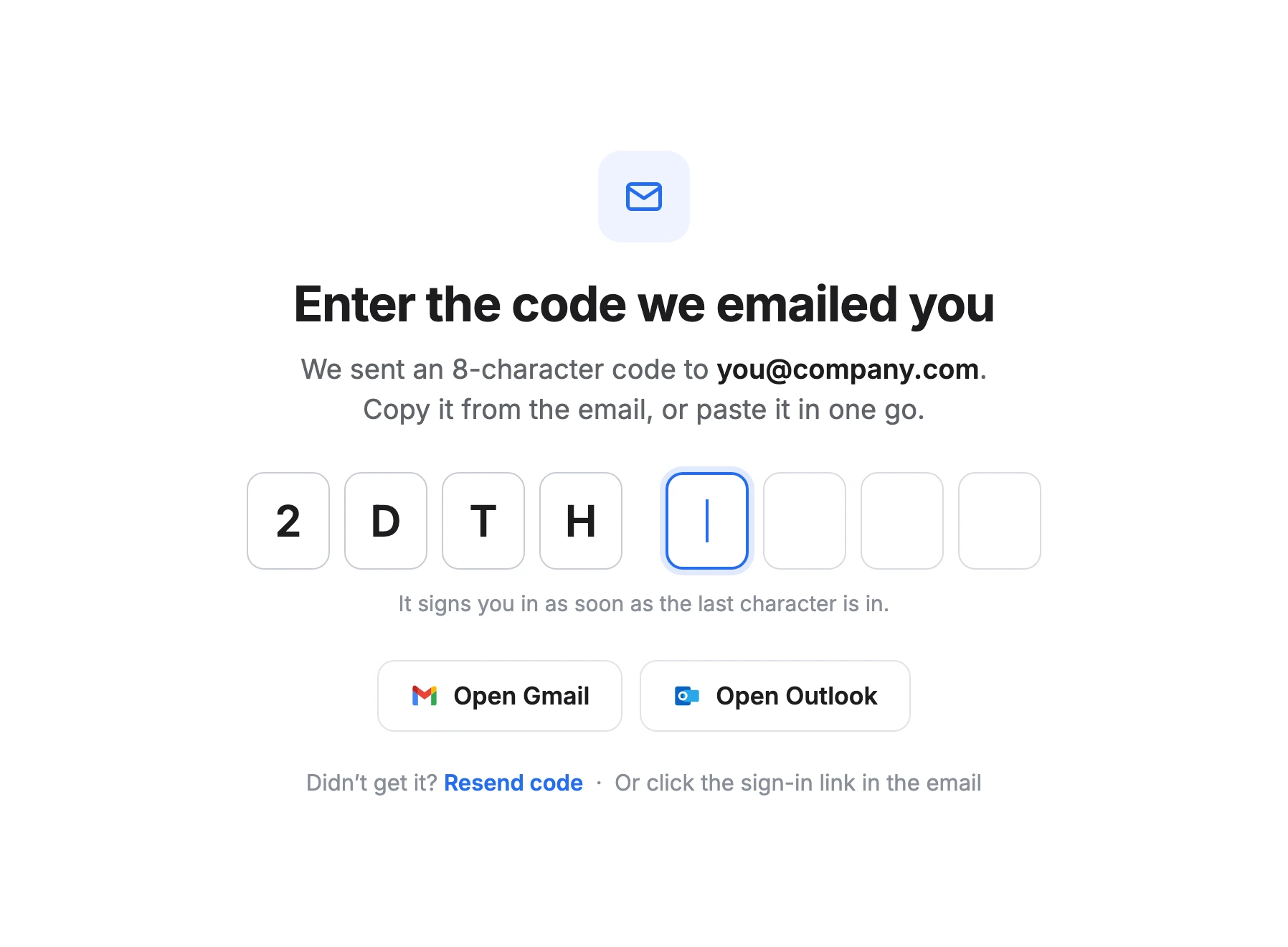
Today it took four tries and almost a minute. With a code, I'd copy it from the email, paste once, and be in.
3. Setup that sells while it collects
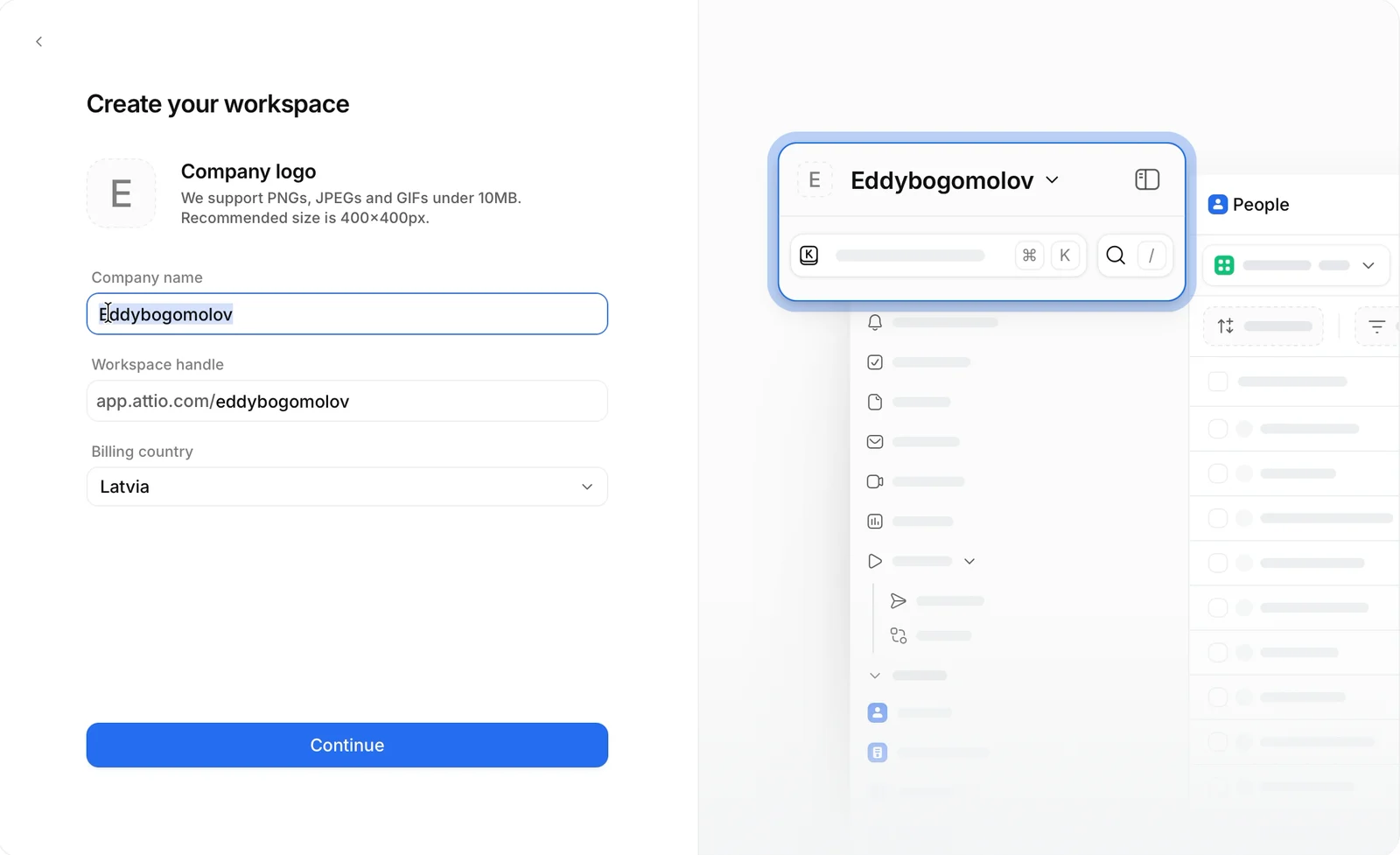
Name, photo, then "Create your workspace". The preview on the right changes as I type: my workspace name lands in the switcher.
Then the screen I came for: "Bring your relationships into Attio." Connect Gmail and Attio builds my CRM from my emails.
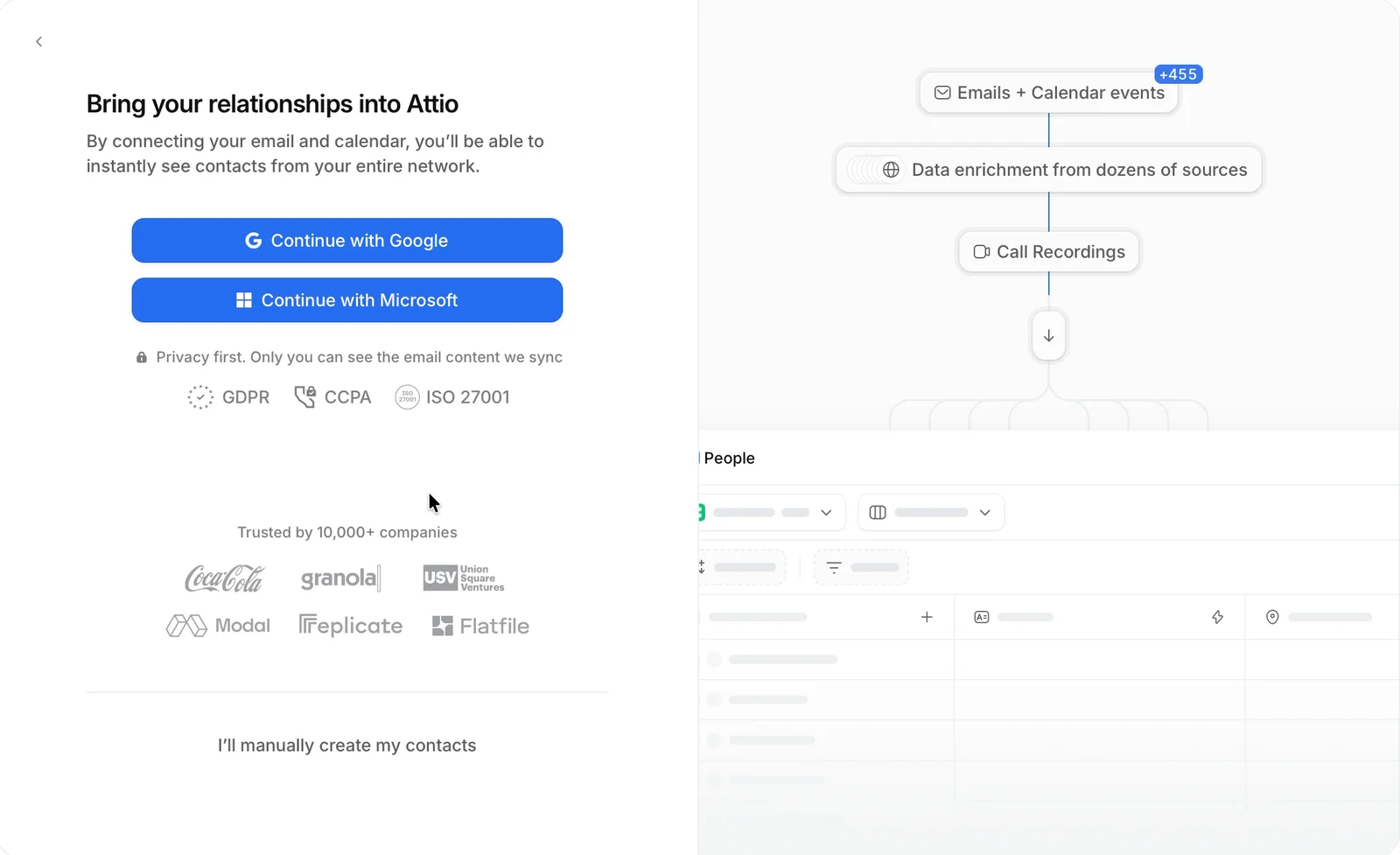
A small design thing: the title and subtitle are left-aligned, while everything under them is centered. My eye jumps between the two. Not a big mistake.

I click "Continue with Google" and pick my personal Gmail.
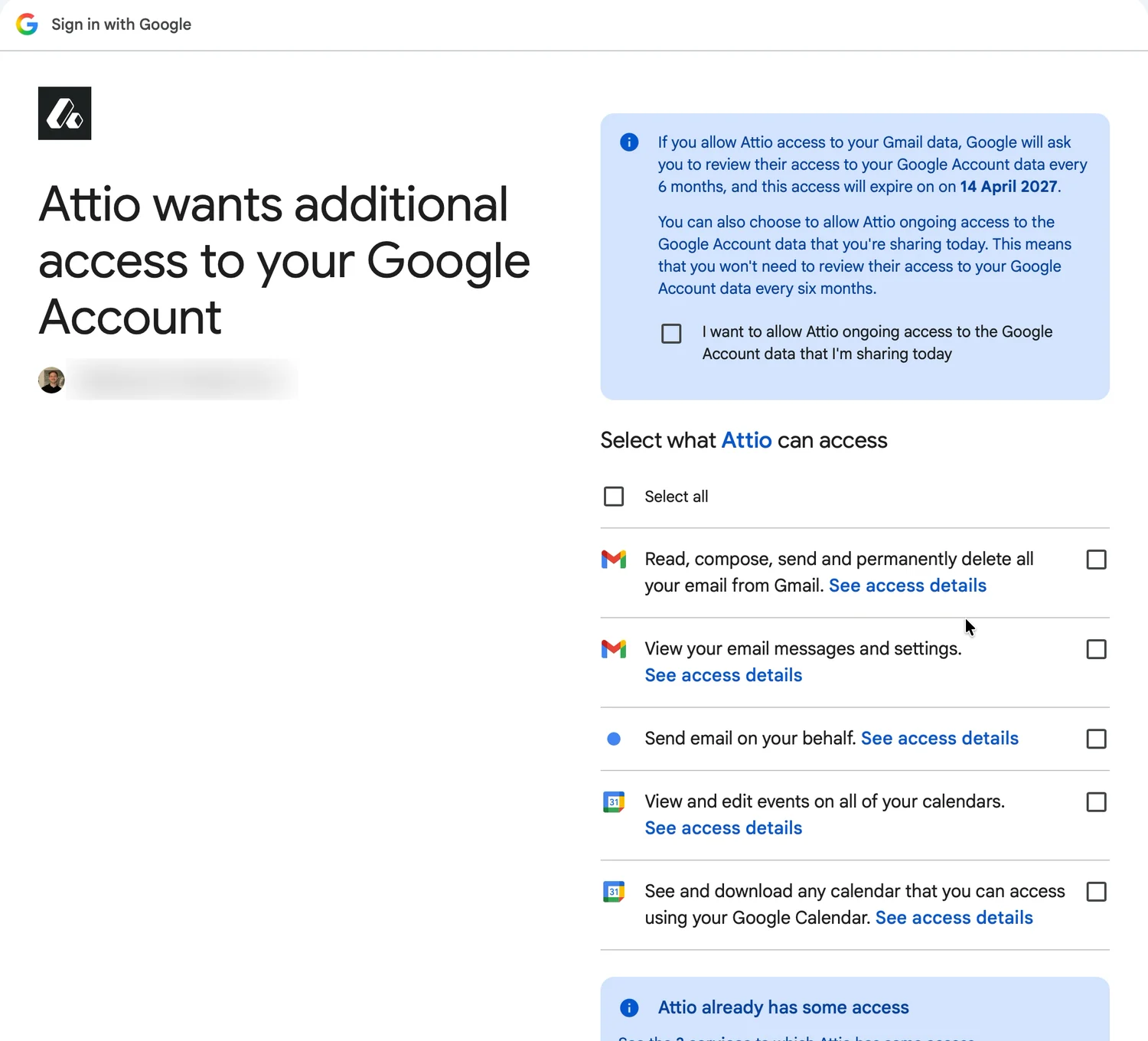
Wait. This is my Gmail, the one Attio blocked at sign-up two minutes ago. Not good enough for an account, but good enough for my data? Where's the logic?
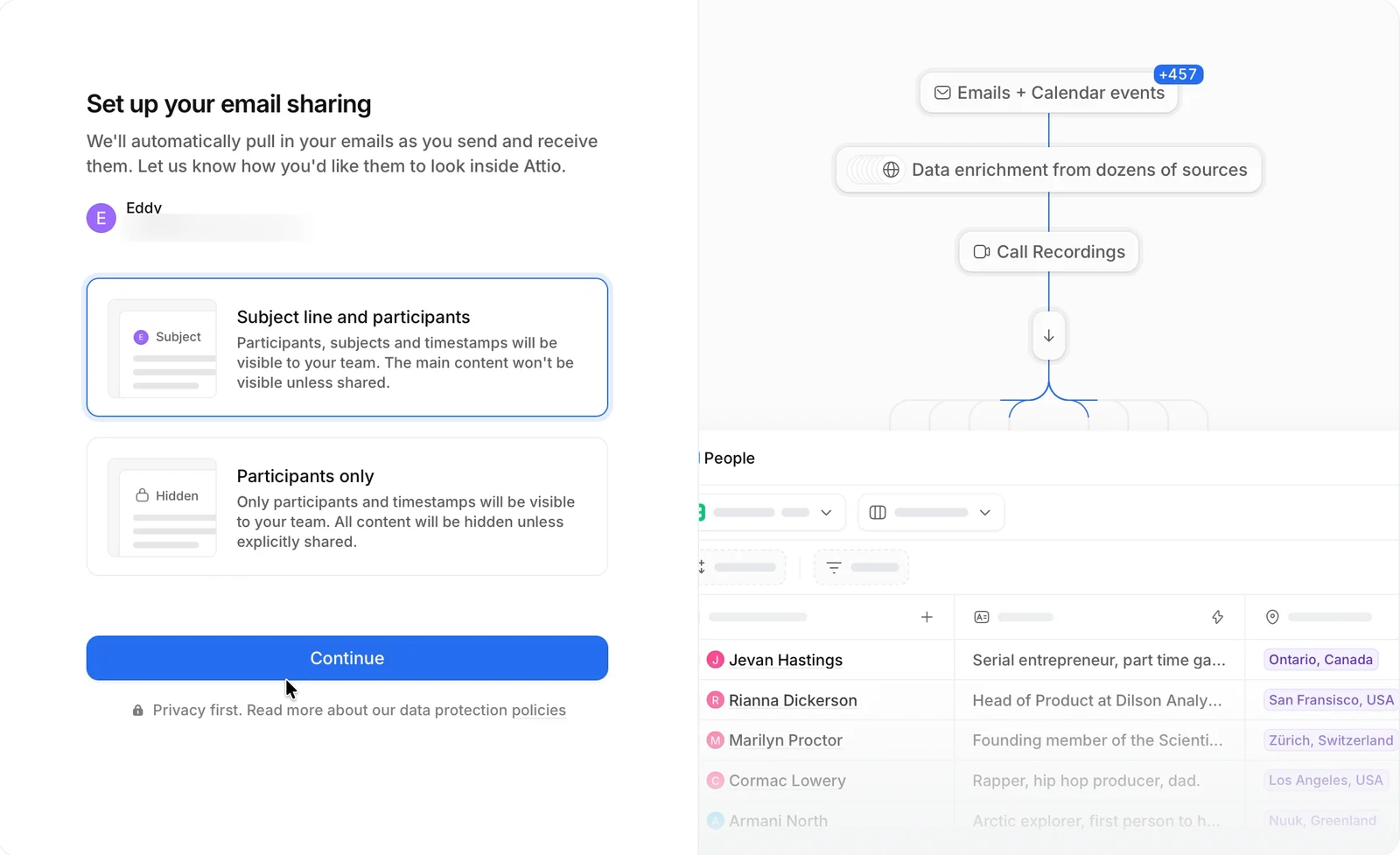
Then Attio asks how much my team sees: "Subject line and participants", or "Participants only".
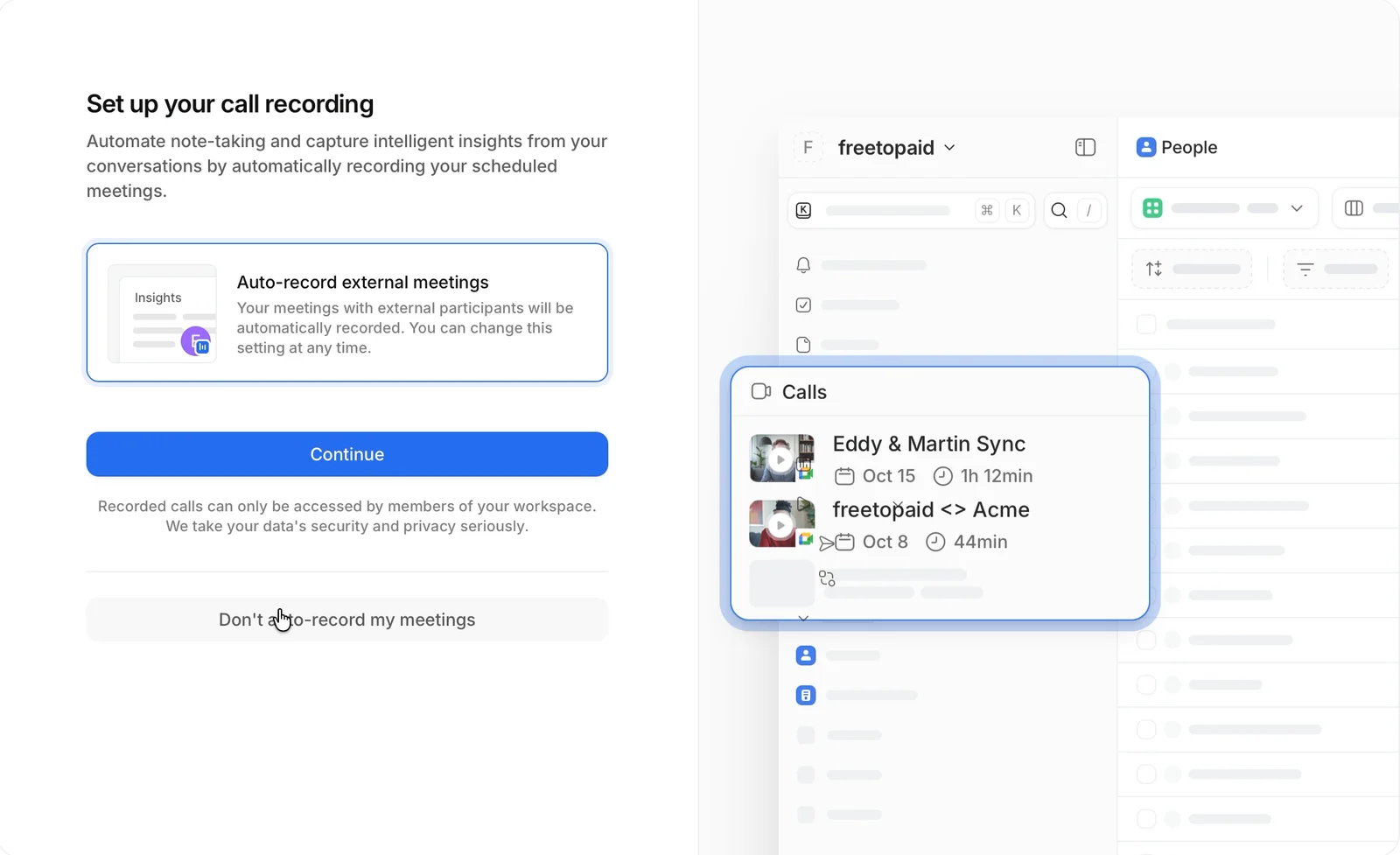
Call recording shows sample calls on the right. "Don't auto-record my meetings" is a full-size button, not a grey link. "How did you hear about us?" says it's optional, and has a real Skip button too.
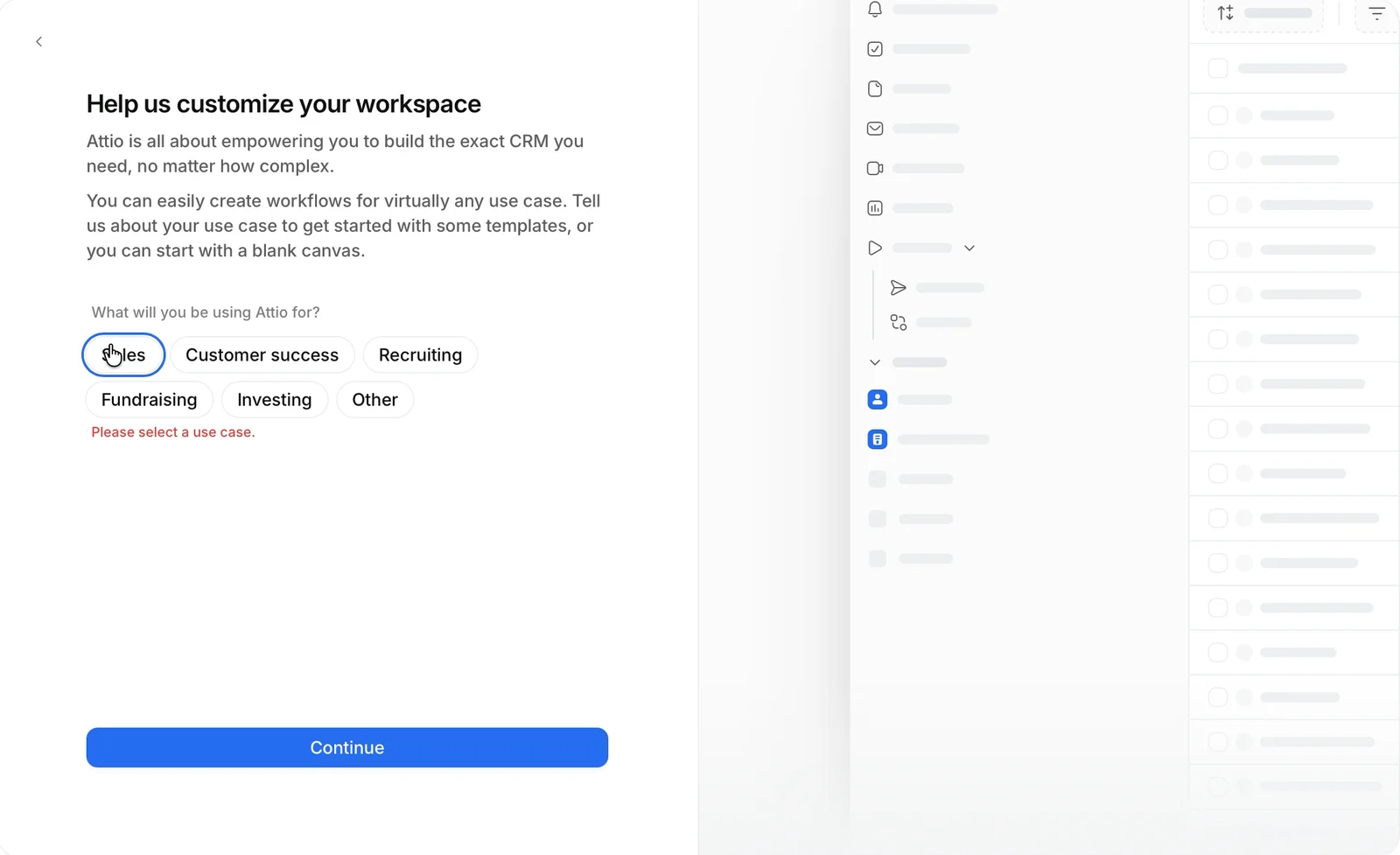
Then "What will you be using Attio for?" The screen says I can "start with a blank canvas". So I skip it, and get an error: "Please select a use case."
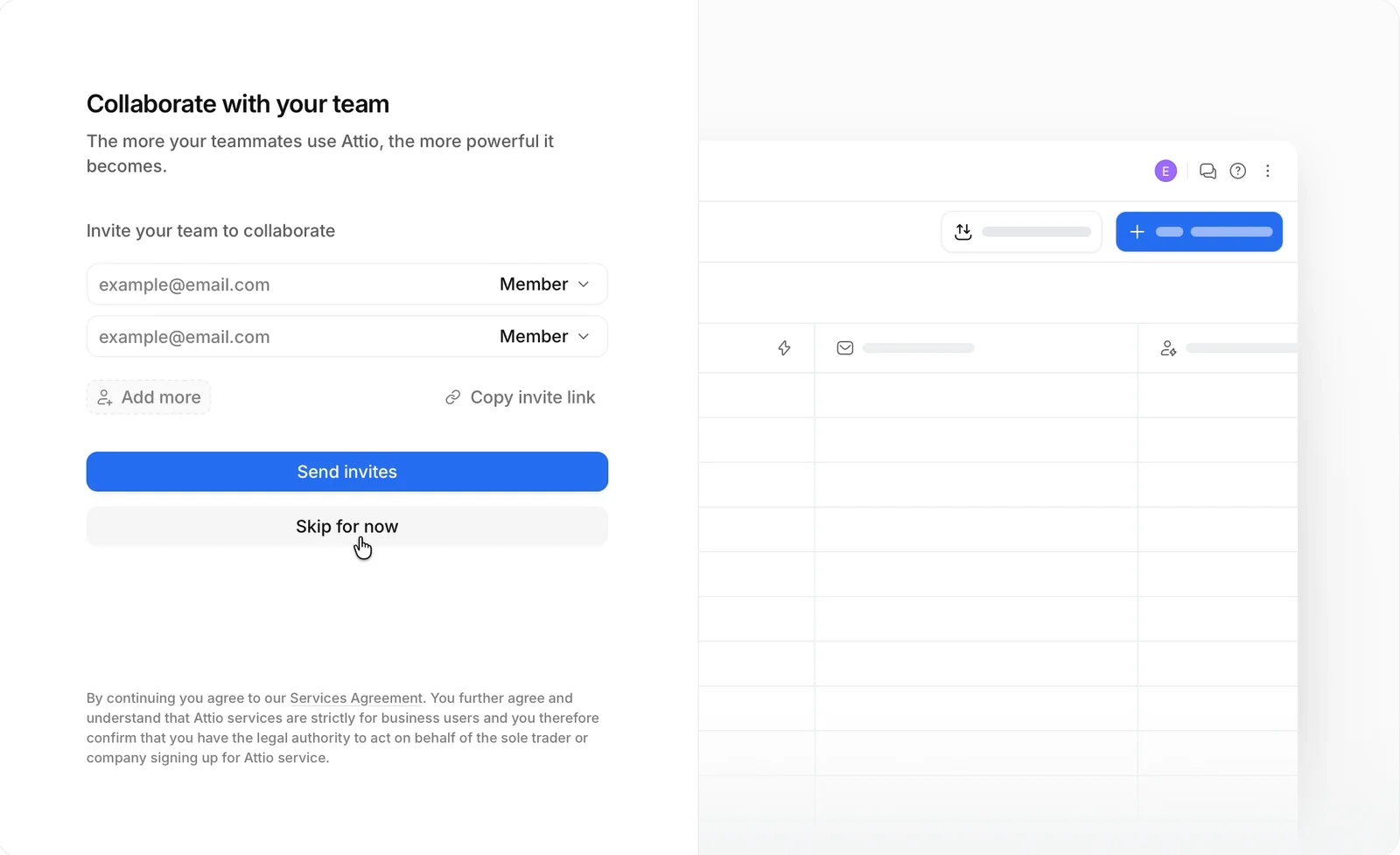
Then "Collaborate with your team". I'm a team of one, so I click "Skip for now". At least this one has a real skip.
4. The CRM fills itself
"Welcome to Attio Pro. We've upgraded you to a free 14-day trial of our Pro plan." No card. A "14 days left on trial" counter stays in the corner.
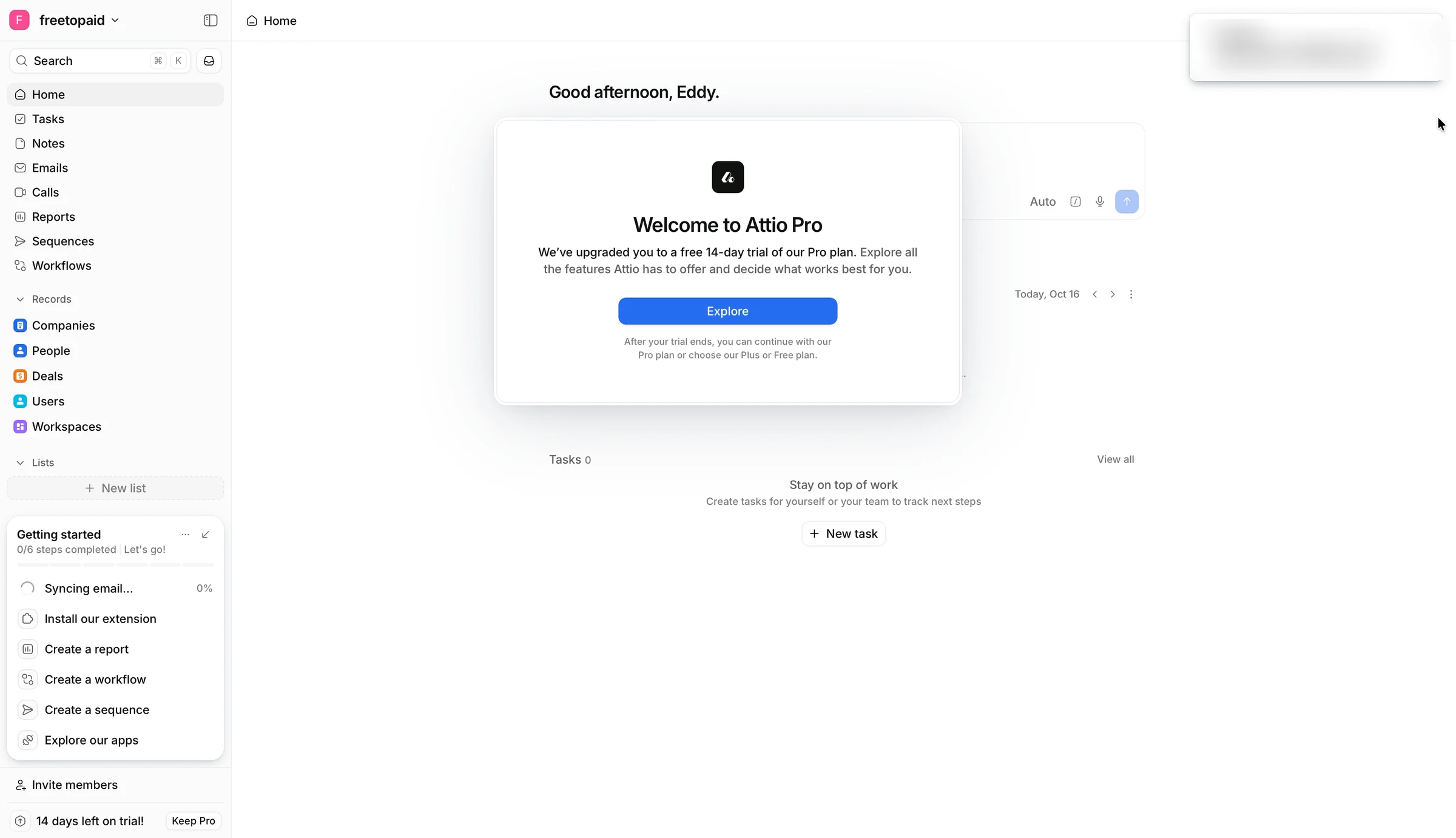
Home comes first, and it's a loading screen: "Syncing (0%)", no meetings, no tasks, and a Welcome modal on top. The checklist says "0/6 steps completed", right after I connected my email and calendar, the step that matters most.
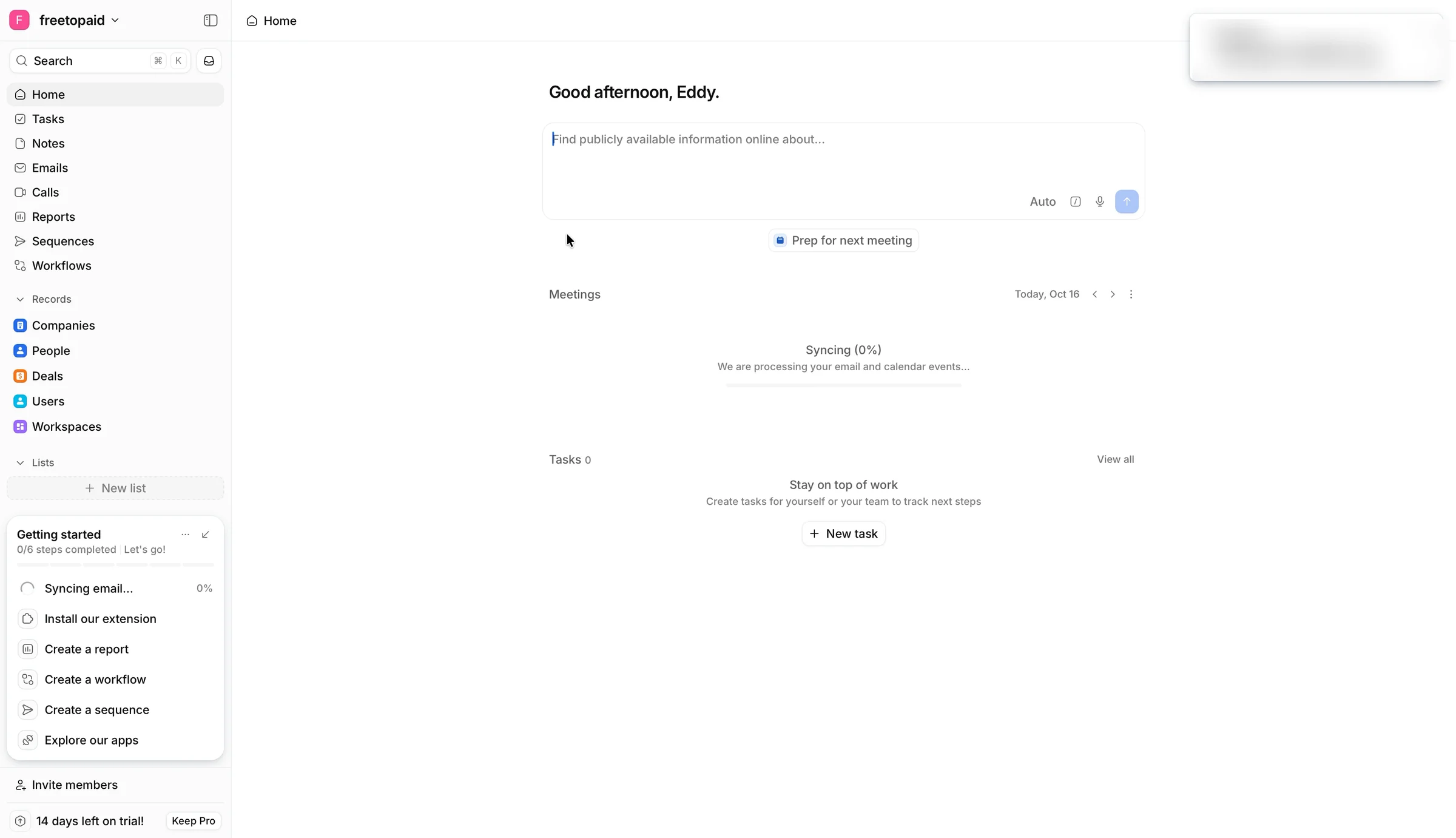
Reports has one ready: companies by country, built from my own data. I click the US bar and see the records behind it. Seeing my own data charted in minute five is a good hook. But the top US companies are Google, PayPal, Microsoft, Disney and Apple. They send me newsletters.
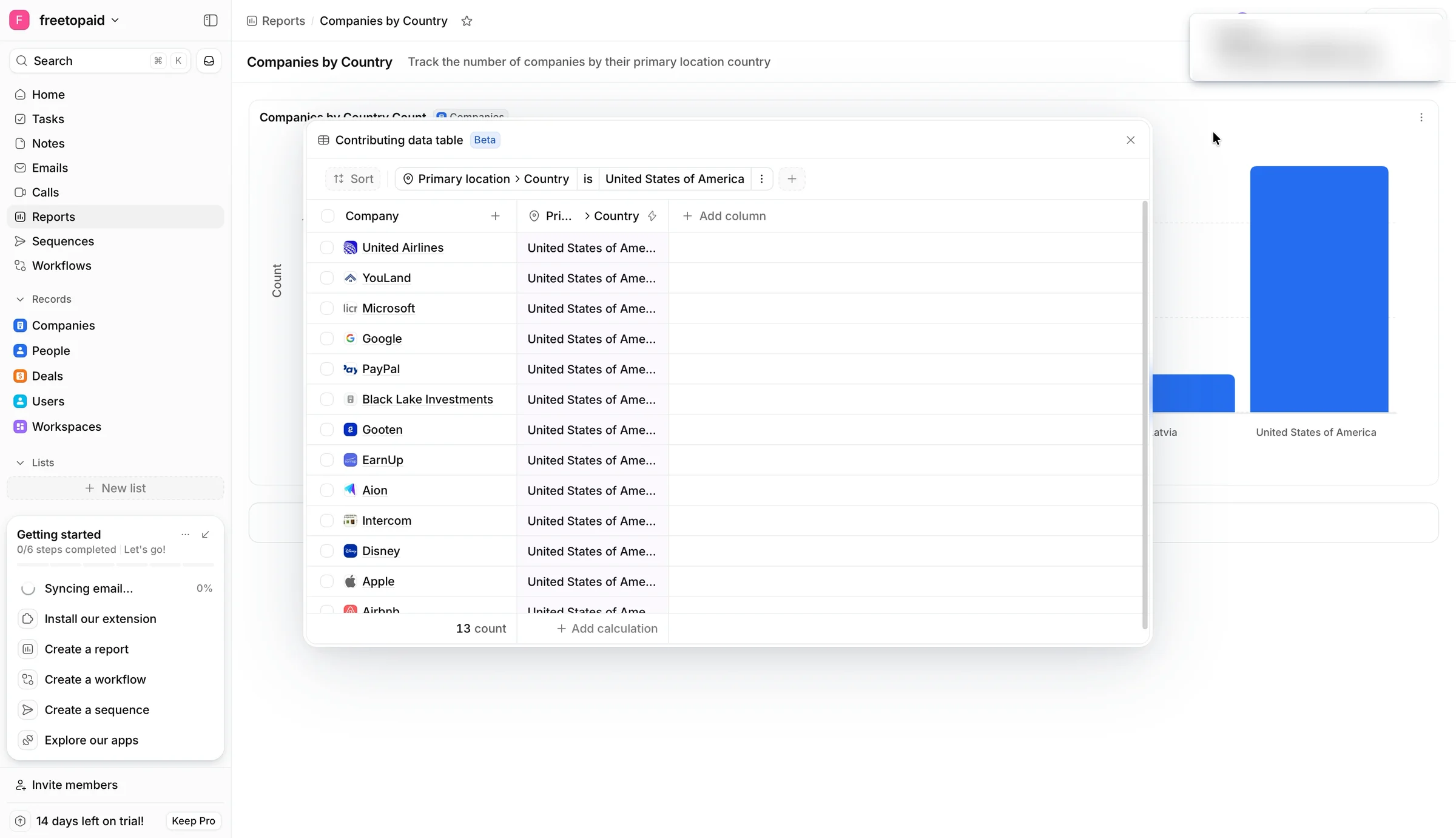
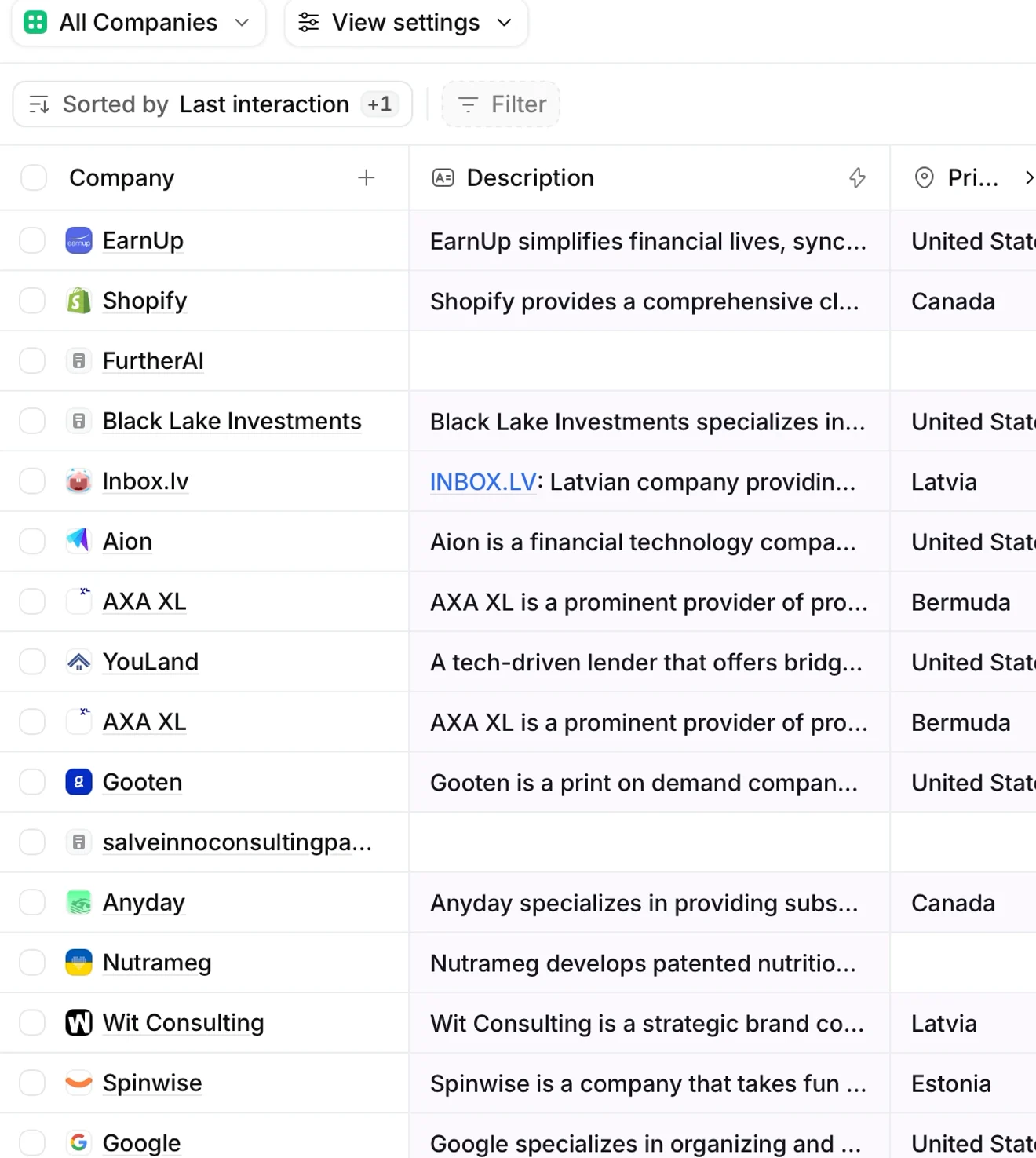
Then the Companies table fills itself while I watch: 25, then 49, 93, 98 companies. Descriptions, countries, founding years, Twitter followers, LinkedIn. I typed none of it.
Wait. I typed nothing, and my CRM is already full. That's the aha moment.

But look closer. My clients sit among newsletter and receipt senders. AXA XL is in twice. Rows like ideapartners.co are nearly empty. The first impression is volume, not relevance.
5. After the aha, the trial goes quiet
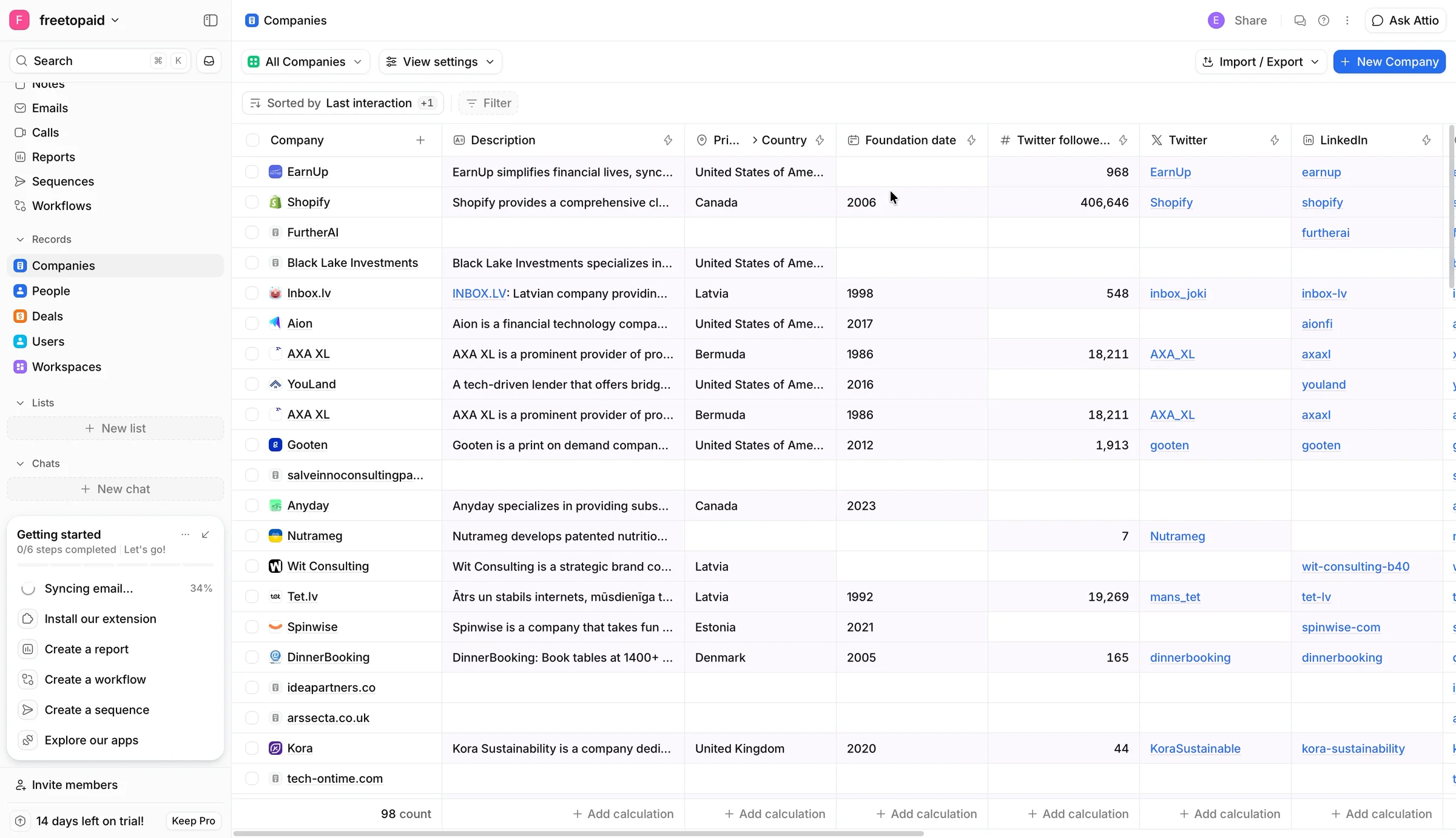
Notes and Sequences show a blank illustration and a "New" button. I told Attio I do sales, product-led. Nothing here knows that.
Four minutes in, I'm curious about the price, so I click "Keep Pro" myself. Nobody pushed me. Annual is pre-selected at €74 a user a month, monthly is €93, and the total at renewal is €1,074.48. A card form. "Your card will not be charged until the end of your trial on October 30th, 2026." That note helps.
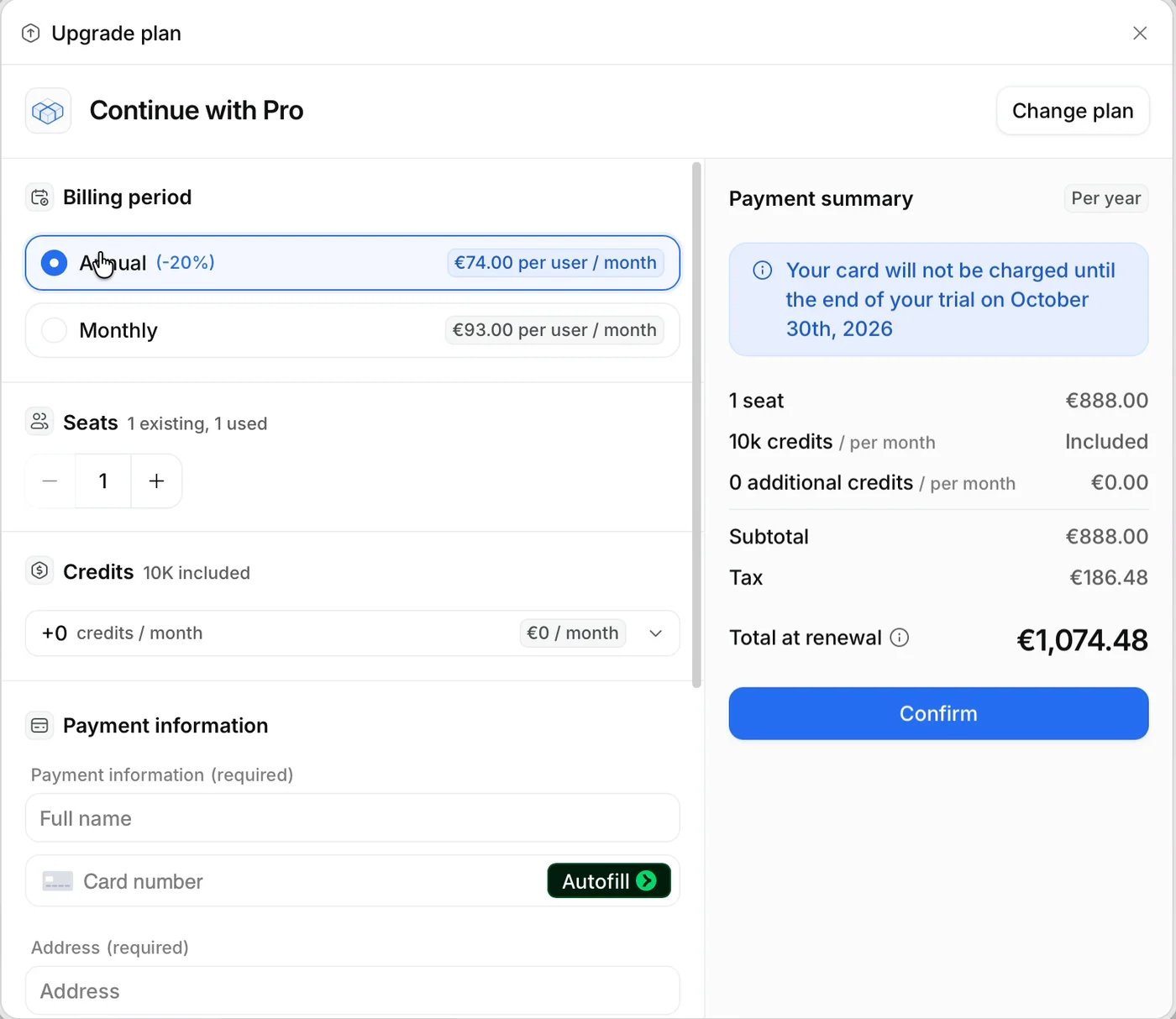
And the AI from the homepage? My inbox is synced, my companies are in. Attio never shows me an agent working on my deals.
Here's how I'd redesign the first run, so the promise, the aha and the next step are all on one screen:
- The aha: the CRM I just got, with the newsletters left out.
- The promise: the AI from the homepage, already answering "How do I win my deal with GreenLeaf?" from my real thread.
- What to do next: one step, confirming the deals it found in my inbox.
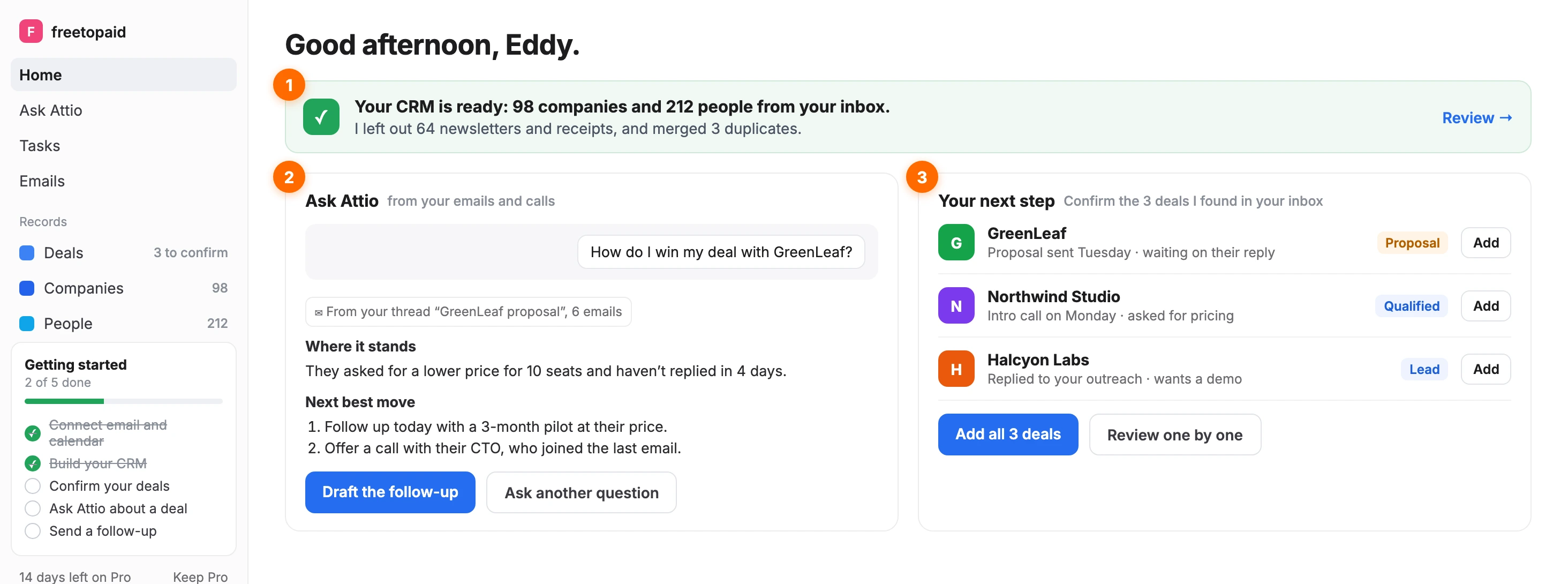
Today, the same moment shows "Syncing (0%)", no meetings and a checklist at 0/6.
6. Four ways to shorten the road
The aha is already there. Each one gets me to it sooner, or keeps me after it.
🔓 Let my Gmail in
If Gmail is good enough as my data, it's good enough as my account. Suggest a work domain later. Lenny on Ramp blocking his Gmail: "So I moved on and that would've been such a huge revenue opportunity." (Lenny's Podcast).
🔢 Call it a code
"Enter the 6-digit code", six boxes, a "Resend code" link. Or a magic link and no step at all. Jules Walter: "even after multiple attempts, and I just stopped using the service." (Lenny's Newsletter).
🧹 Hide the newsletters
Start with people I emailed back and forth with, and put marketing senders behind a toggle. Gmail needed "a whole machine learning team" to sort promotions from real mail (Itamar Gilad, Lenny's Podcast).
🤖 Show me the agent
Once the sync lands, answer "How do I win my deal with X?" on one of my real threads. That's what would make me keep Pro.
The goal: my real clients in the CRM within three minutes, and an AI working on them in five.
Hard to get in, worth it inside
Product-led means no salesperson walks you through the product. The product itself has to convince you to stay and pay. To do that, a trial has to answer four questions on its own:
- Does it do what the homepage promised? No. The AI that helps you win deals never shows up on my data.
- Can I get in quickly? No. Gmail blocked, a confusing code, nine screens.
- Do I see value fast? Yes. 98 companies fill in from my inbox, and I type nothing.
- Do I know what to do next? No. A 0/6 checklist, empty pages, no next step.
One out of four: Attio nails the aha, and loses me before and after it.
Attio is the only one of my three CRM trials that reached the aha. The walls before it are the leak. The quiet after it is the next one.
What Attio does well
- 1 · The CRM fills itself from my inbox: 25 to 98 companies while I watch · ✅
- 2 · Every setup step previews the product with my answers · ✅
- 3 · Email-sharing levels: my team sees who I emailed, not what I wrote · ✅
- 4 · Skip on invites and "How did you hear", a full-size "Don't auto-record" · ✅
- 5 · A 14-day Pro reverse trial, no card, with a visible counter · ✅
- 6 · A ready report on my own data, with the records one click away · ✅
What's weak
- 1 · Gmail blocked at sign-up, then asked for as data two minutes later · ❌
- 2 · A "temporary password" that is really a code, failed four times · ❌
- 3 · Nine screens between sign-up and the app · ❌
- 4 · Newsletter senders, duplicates and empty rows in the first table · ❌
- 5 · Home shows "Syncing (0%)", and the checklist stays at 0/6 · ❌
- 6 · Empty Notes and Sequences, untouched by my setup answers · ❌
- 7 · Checkout picks annual and leads with €1,074.48 · ❌
- 8 · The homepage's AI agent never shows up on my data · ❌
The whole journey, from my recording:
- 0:00 · "Start for free"
- 0:08 · Gmail blocked · ❌ Public email
- 0:28 · Temporary password fails · ❌ Four tries
- 2:08 · "Bring your relationships into Attio"
- 2:18 · Google asks for my Gmail, the one blocked at sign-up · ❌ Blocked, then wanted
- 2:53 · "Welcome to Attio Pro", no card · ✅ Reverse trial
- 3:05 · Home: "Syncing (0%)" · ❌ Loading screen
- 3:23 · First report: newsletter senders on top
- 3:43 · Companies table fills itself · ✅ The aha
- 4:07 · I click Keep Pro: annual pre-selected · ❌ Annual default
The fix: Keep the aha, shorten the road to it, and give me something to do after it.
Zoom out
Three CRM trials, three ways to handle the one thing a CRM needs: my data. Lightfield asked for my inbox after the card, with a skip link, and opened empty. Pipedrive never really asked, and opened empty. Attio made my inbox the center of setup, and it's the only one where I saw my own clients in a CRM.
That's the lesson I'd take from all three. The setup step that brings the data in is the trial. Attio got the order right and handled the permission with care. Now it needs fewer walls in front of the aha, and an agent behind it.
Would you give a new CRM your inbox before you've seen a single record? Leave a comment. I read every one.
Further reading:
- Getting my first deal into Pipedrive, the previous teardown, about a CRM that opens empty
- Lightfield's CRM trial teardown, a CRM that asks for the card before the inbox
- Building AI product sense, part 2, Marily Nika in Lenny's Newsletter
I break down real free trials and show where they lose paying users. If this helped, send it to someone who owns a trial.
Want a teardown of your trial? DM me "teardown" on LinkedIn.
Eddy
Instagram Nailed the Upgrade (But Forgot the Aha Moment)
Instagram, Oct 25, 2026