If it looks like a chat, it should answer like one
7 min read · about Ada by Ads On Tap ·

If it looks like a chat, it should answer like one
Lessons from Ada: a sharp audit of my ads, and a chat that saved my question as a note.
1 / 27

Written by
Eddy Bogomolov
Growth PM for SaaS
What you'll learn
- If it looks like a chat, it should answer like one. I asked Ada “what is happening?” She saved it as a business note. Then she asked me the same question three times.
- Don’t say “ready” before anything has run. Before I connected anything, an example card ticked every step and said “Your audit is ready to read.” I sat and watched it for almost two minutes.
- Say who does the work before you ask for the email. The homepage promised Dan’s take. Step 4 asked where Ada should send my audit. Nobody had said who Ada was.
Ada’s audit read my ads better than I do. The chat before it didn’t read my one question.
If it looks like a chat, it should answer like one, chapter by chapter
In this story, I run Facebook and Instagram ads for my own app, Snapfast.
I spend under €1k a month. I do it myself, in between everything else. And I want someone to tell me if my ads work.
So I tried Ada, an AI from the ad agency Ads On Tap. It checks your ads for free. I recorded everything from the homepage to the checkout.
The check itself, the audit, was the best part. It knew what my app does, and it told me what to fix first, with my own numbers.
The wait before it was the worst part.
In my teardowns, I take a close look at how a product gets new people to their first real result. Ada gets me there. So this time I'm asking three things.
Who should the homepage promise? What should an example say? And what should a chat do while the AI works?
Let's get into it.
1. The homepage: "Get Dan's take"
I open Ads On Tap. The big line:
"We run your growth like it's our company."
Under it, people who run "€50M+ of ad spend a year." Serious ad people.
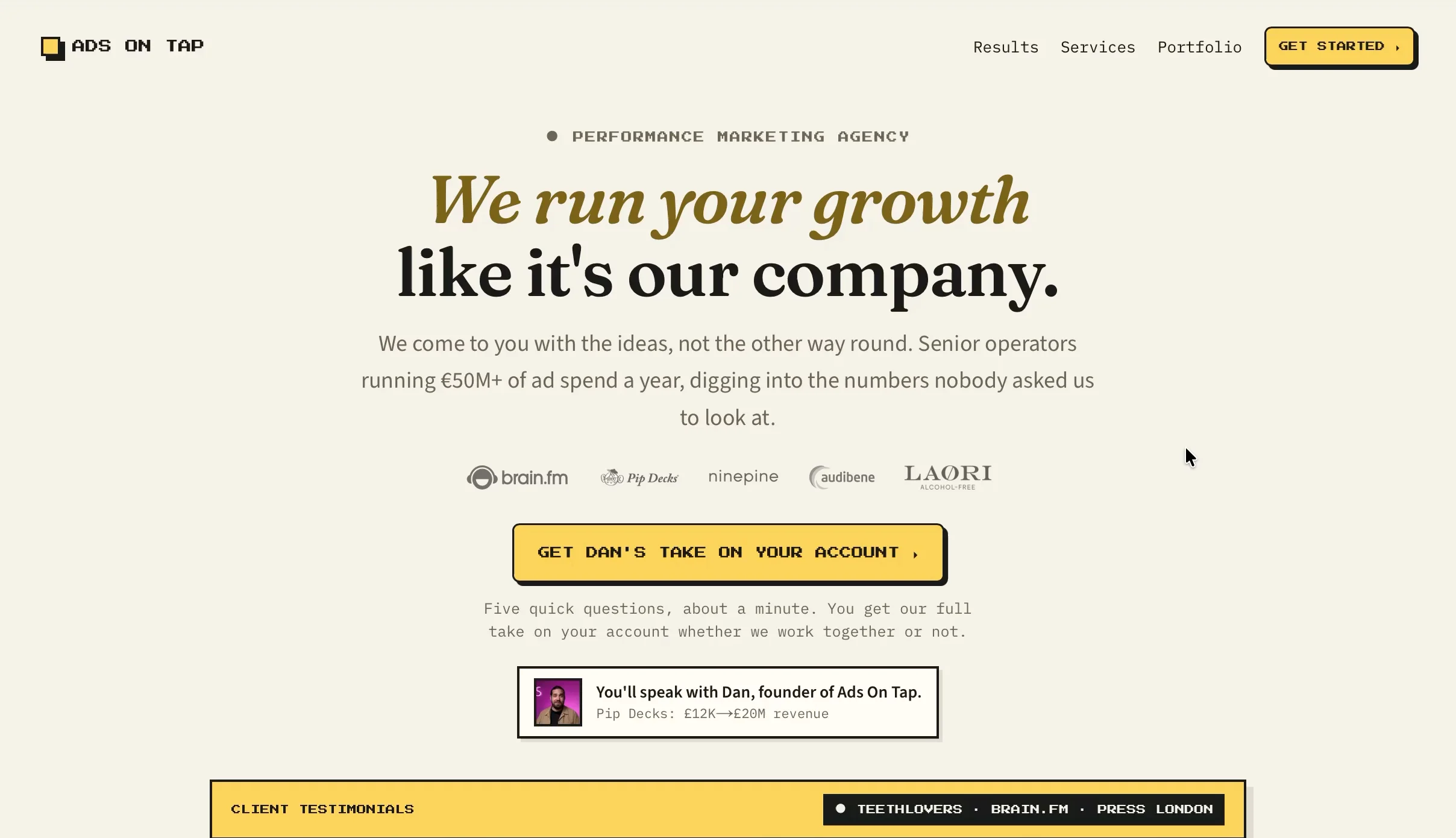
The button: "Get Dan's take on your account." Then "Five quick questions, about a minute," and a small card: "You'll speak with Dan, founder of Ads On Tap."
A real person will look at my ads. I click.
✅ Make the button keep the big line's promise.
They run growth like it's their company, and the next step is the founder looking at my account. A clear promise. Now I'm expecting Dan.
2. Five quick questions
"Step 1 of 5. What are you spending on Meta ads each month? Your answer decides what you get next."
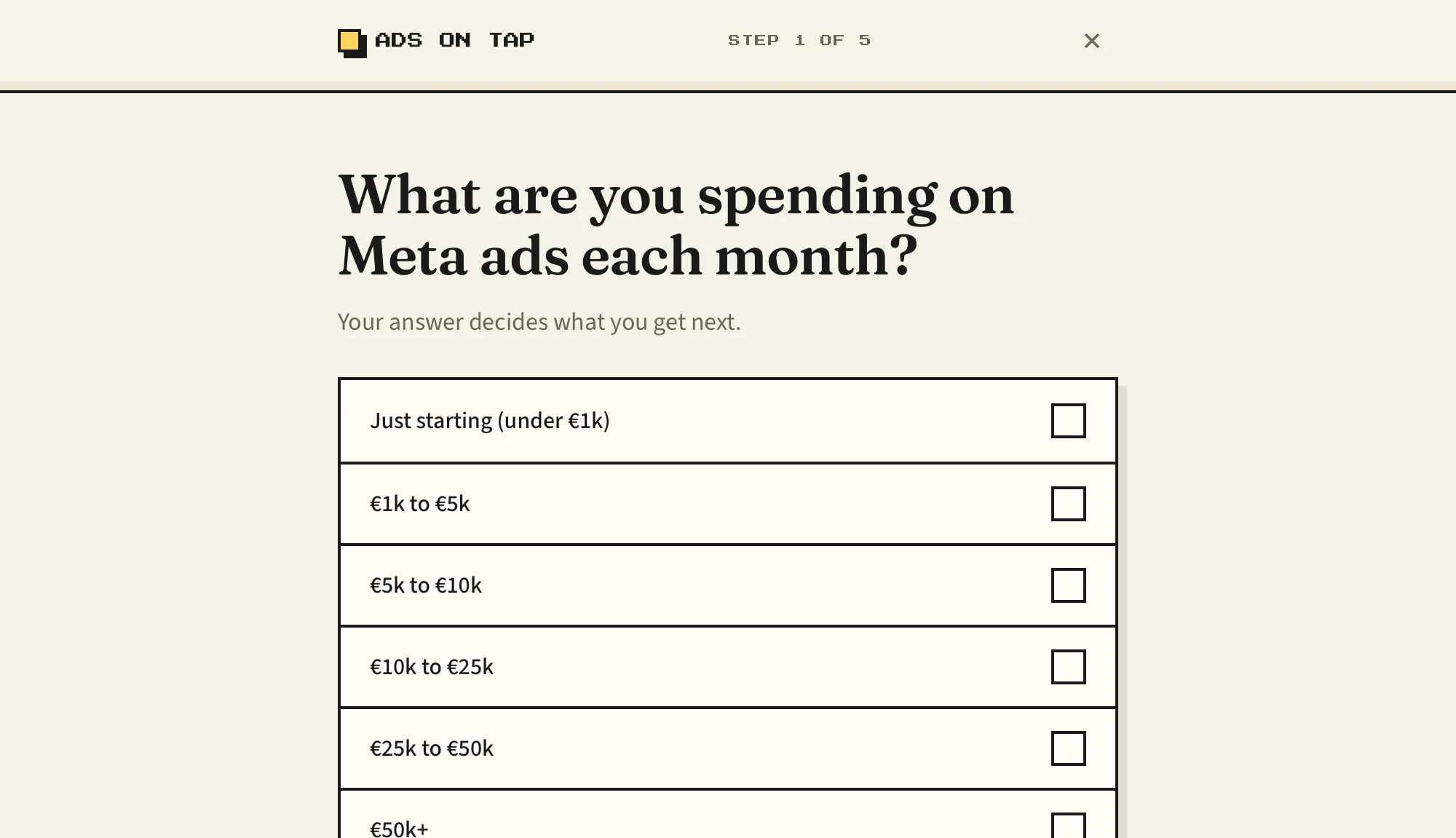
I pick "Just starting (under €1k)." One tap, and the next question is there.
Two more taps. My answers sit at the top as little tags, each with a pencil to change it: "Just starting (under €1k)," "Themselves."
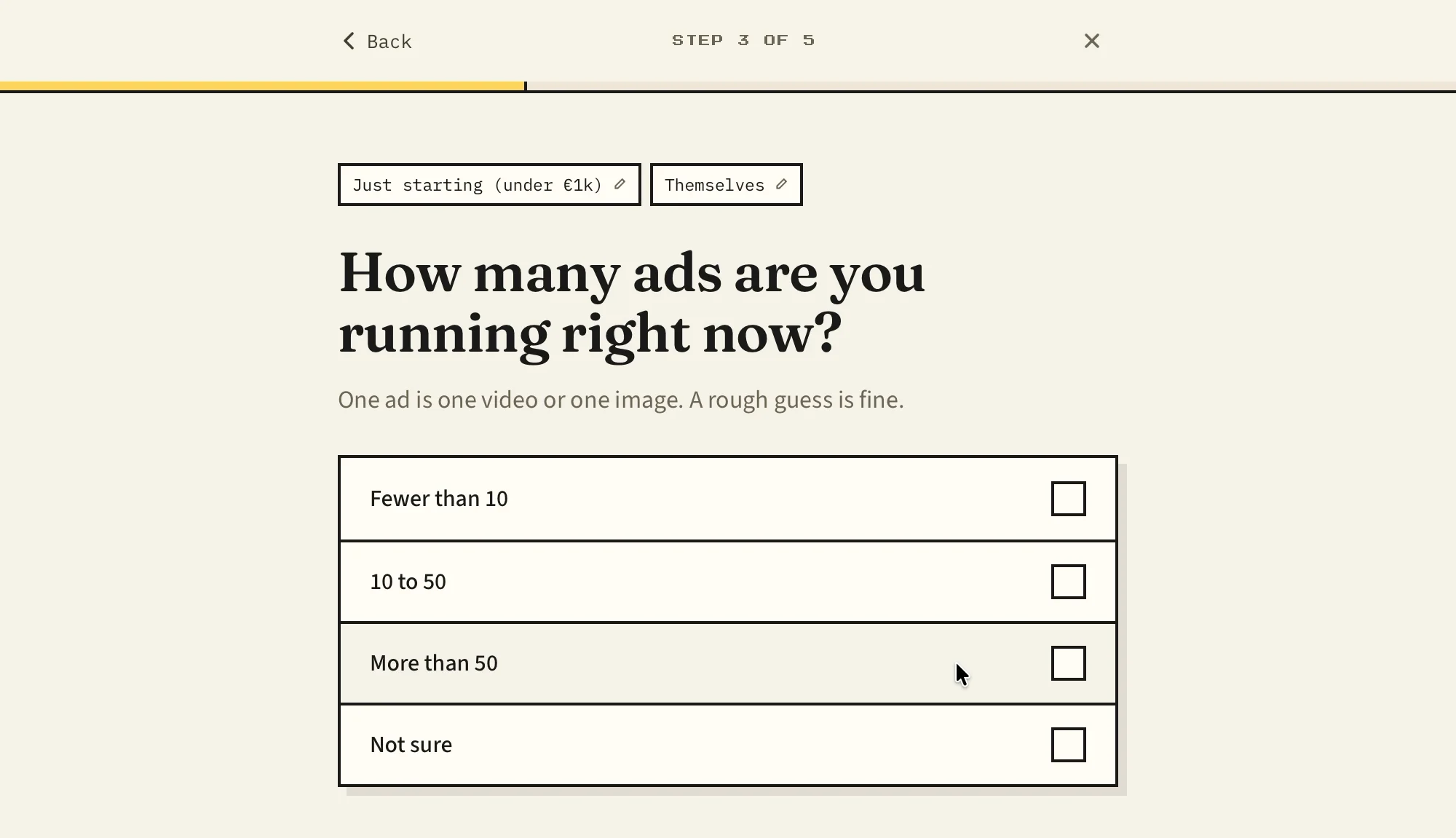
Fast, and nothing to type.
Who's Ada?
Step 4:
"Where should Ada send your audit?"
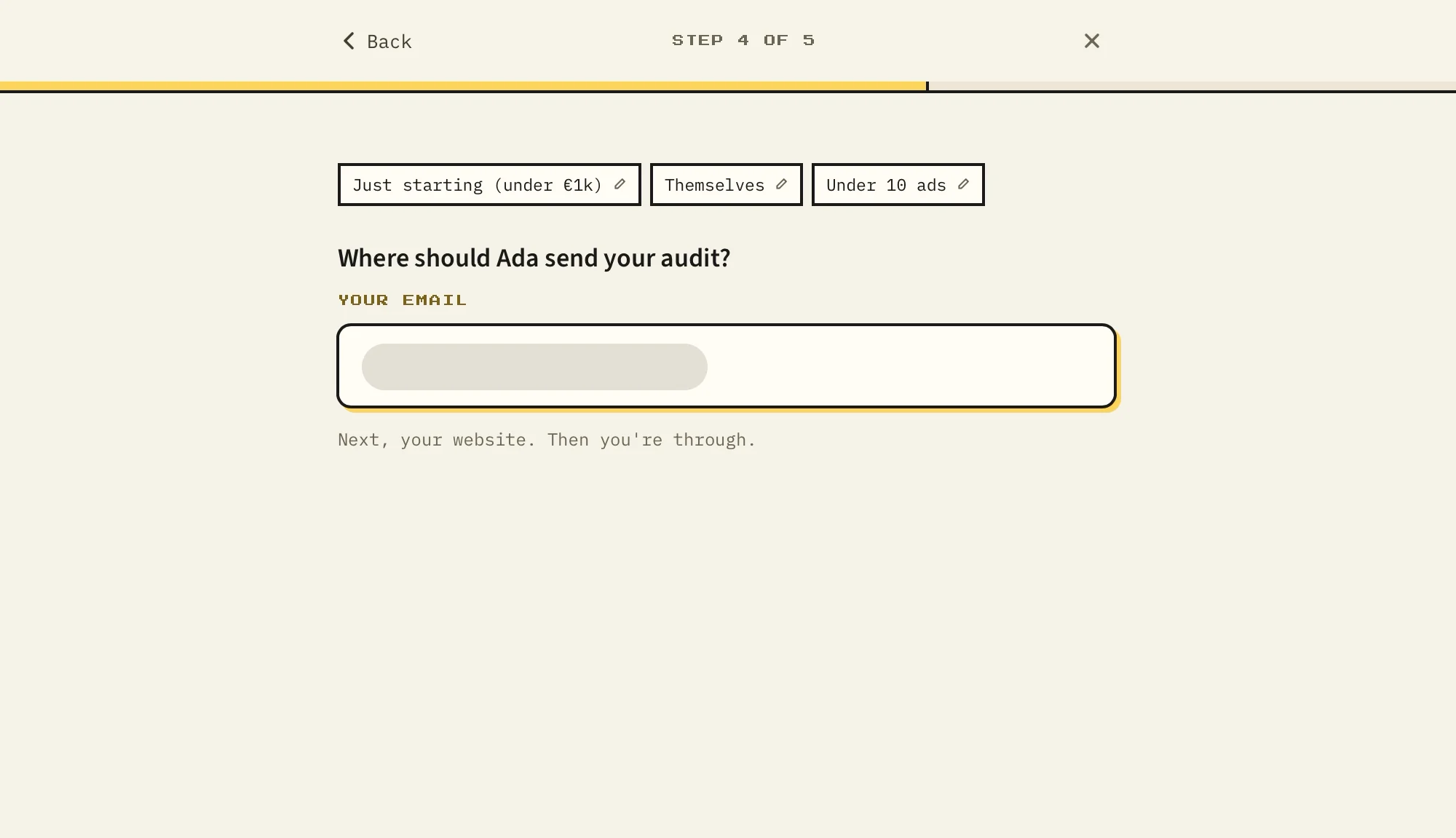
The homepage said Dan. Nobody has said the name Ada yet. And now it wants my email, to send me her audit.
❌ Say who does the work before you ask for the email.
The homepage put Dan in my head. One line before this step would keep both: "Ada, our AI, runs the audit, and Dan reads it."
3. Meet Ada
After my website, a new page:
"Meet Ada, the media buyer AI. She audits your ads for free."
Connect my Meta account "read-only," and "in about 10 minutes" I get a guided audit. (Meta is the company behind Facebook and Instagram.)
So Ada is an AI. OK. Free, and read-only. Sounds good.
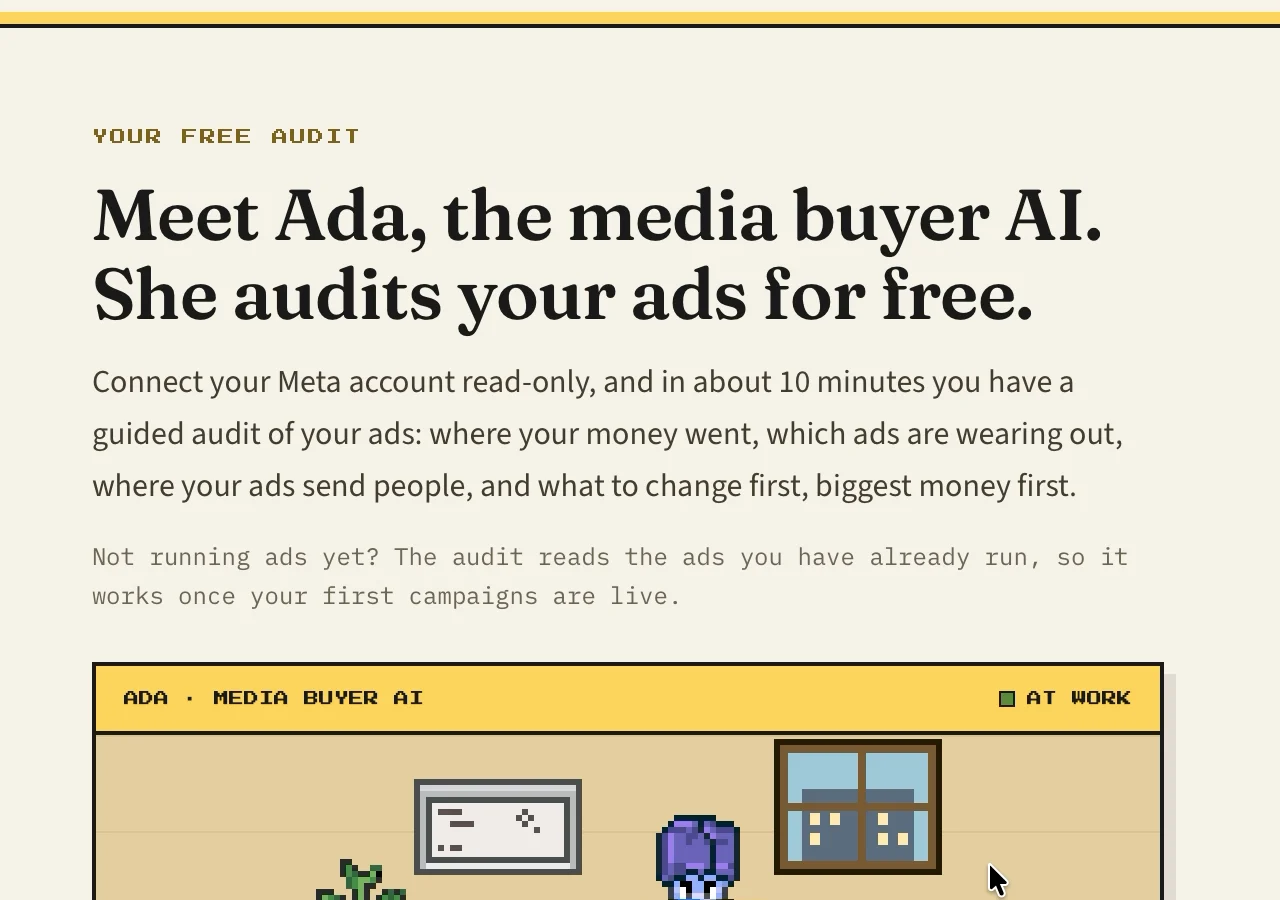
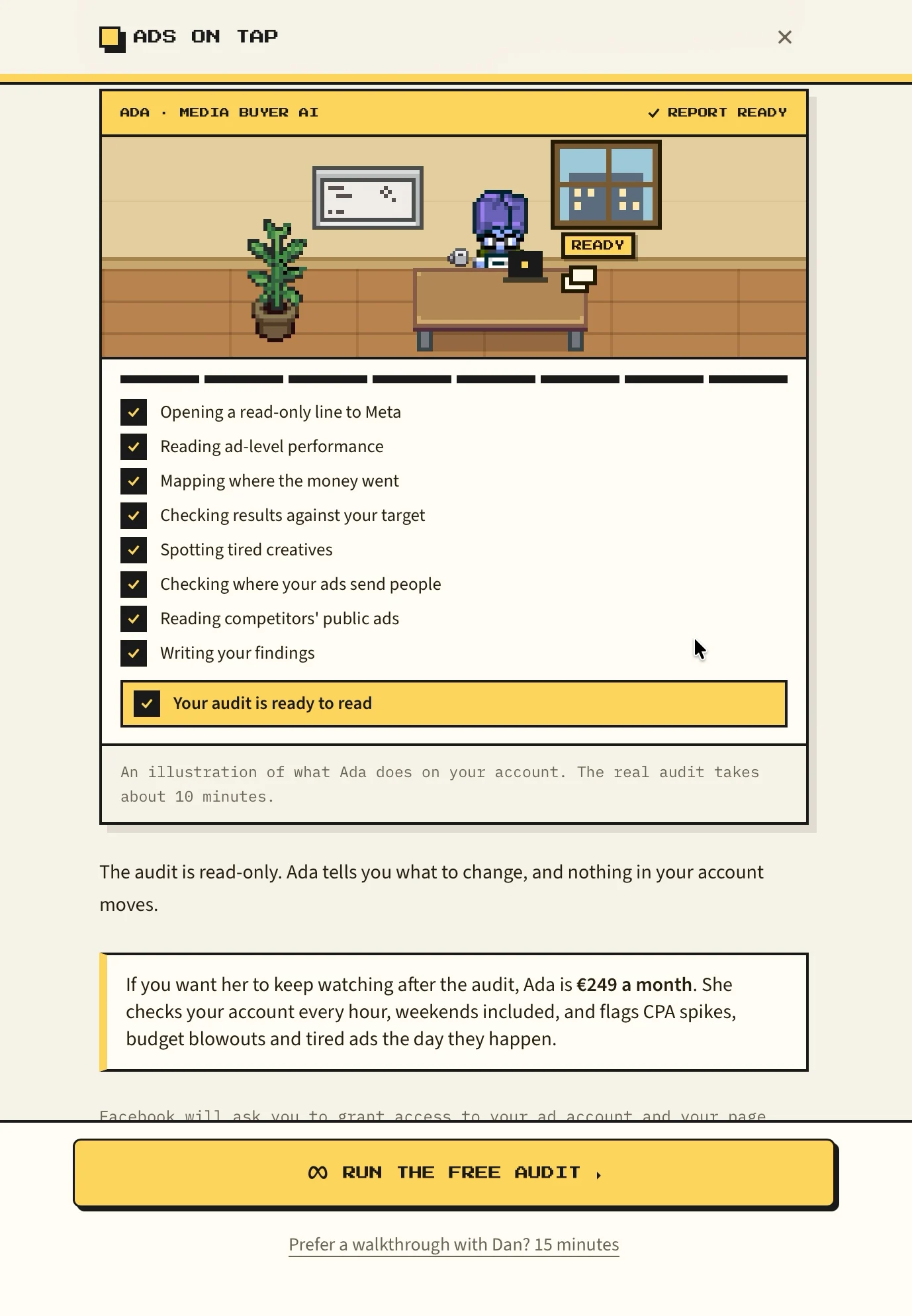
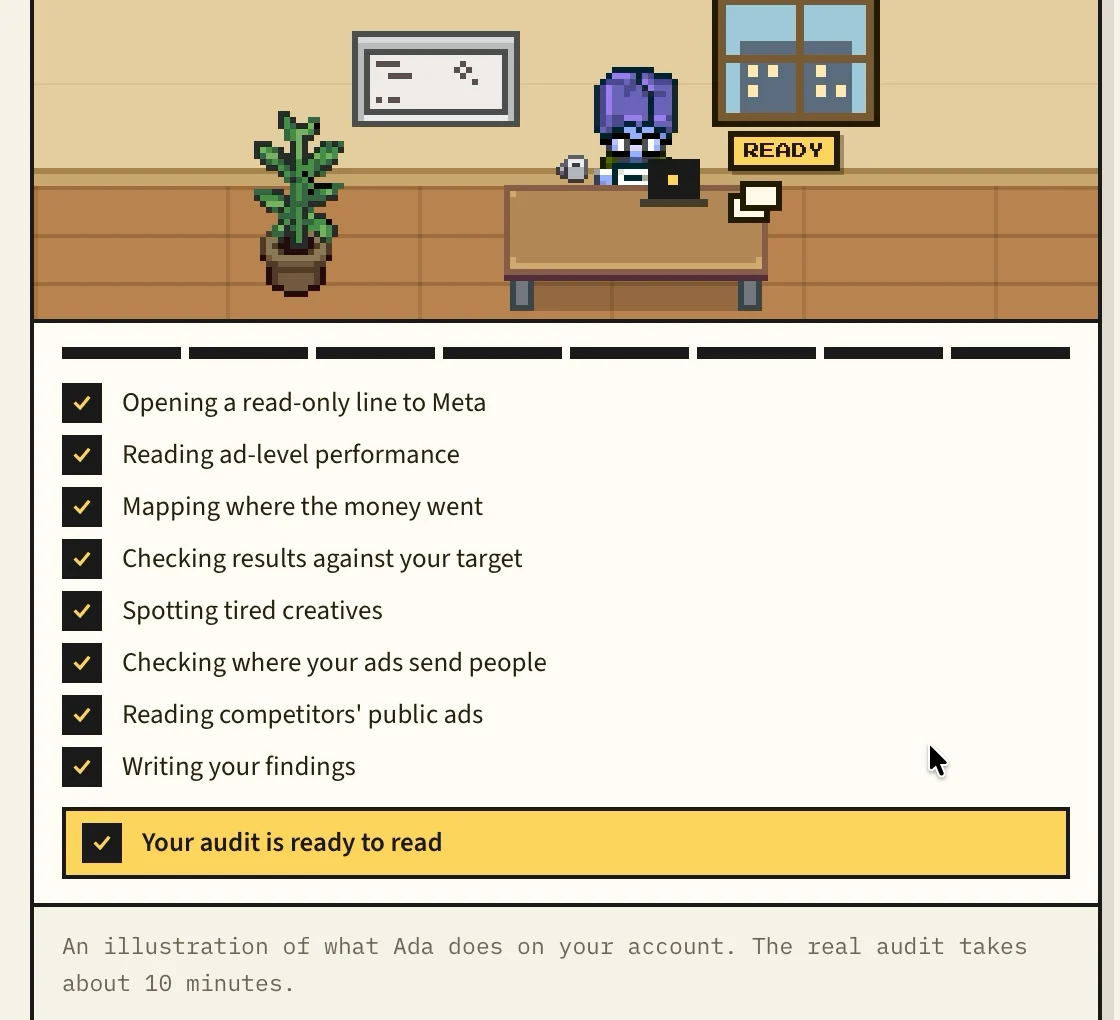
Under it, a little pixel office. Ada sits at her desk, and a list ticks itself off: "Opening a read-only line to Meta," "Reading ad-level performance," "Mapping where the money went"…
"Ready" before I start
A few seconds later, every box is ticked. A sign over the desk: "Ready." Top right: "Report ready." And a yellow bar:
"Your audit is ready to read."
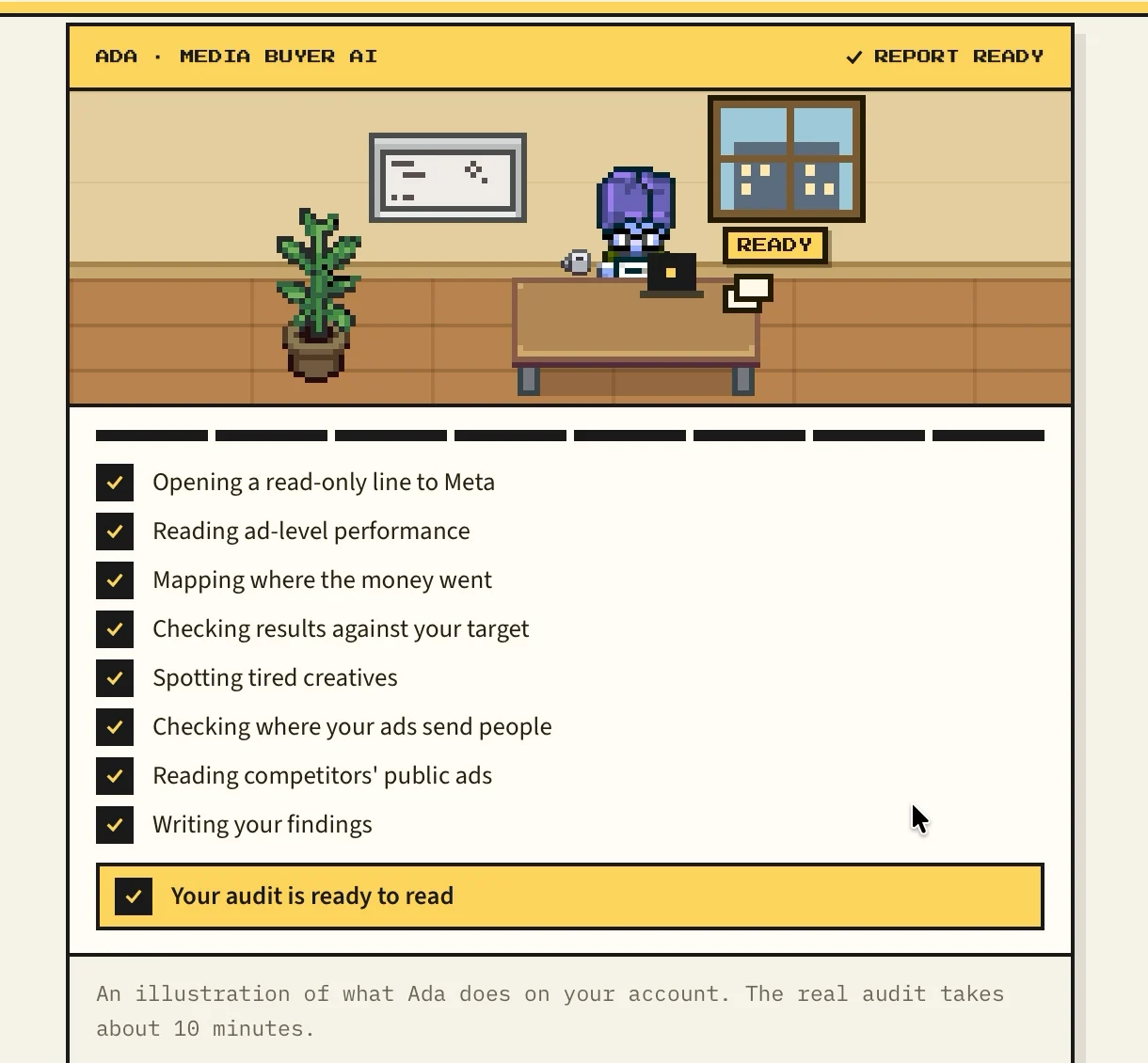
So Ada is already working on my ads? I watch her list, not the text around it.
Ready. Then the list empties and starts again.
Is she done? Starting over? Should I wait? I sit and watch it go round for almost two minutes.
Only later do I see the small grey line under the card: "An illustration of what Ada does on your account. The real audit takes about 10 minutes."
Nothing was running. I hadn't even connected Meta.
❌ Don't say "ready" before anything has run.
In the first seconds with a new product, I want it done fast. So I believe the card.
The line that says it's only an example is the smallest text on the page. And the real first step, connecting Meta, sits further down, in a bar at the bottom.
I scroll down. More text. "The audit is read-only." Then a box: "If you want her to keep watching after the audit, Ada is €249 a month."
Right under it, the big button: "Run the free audit."
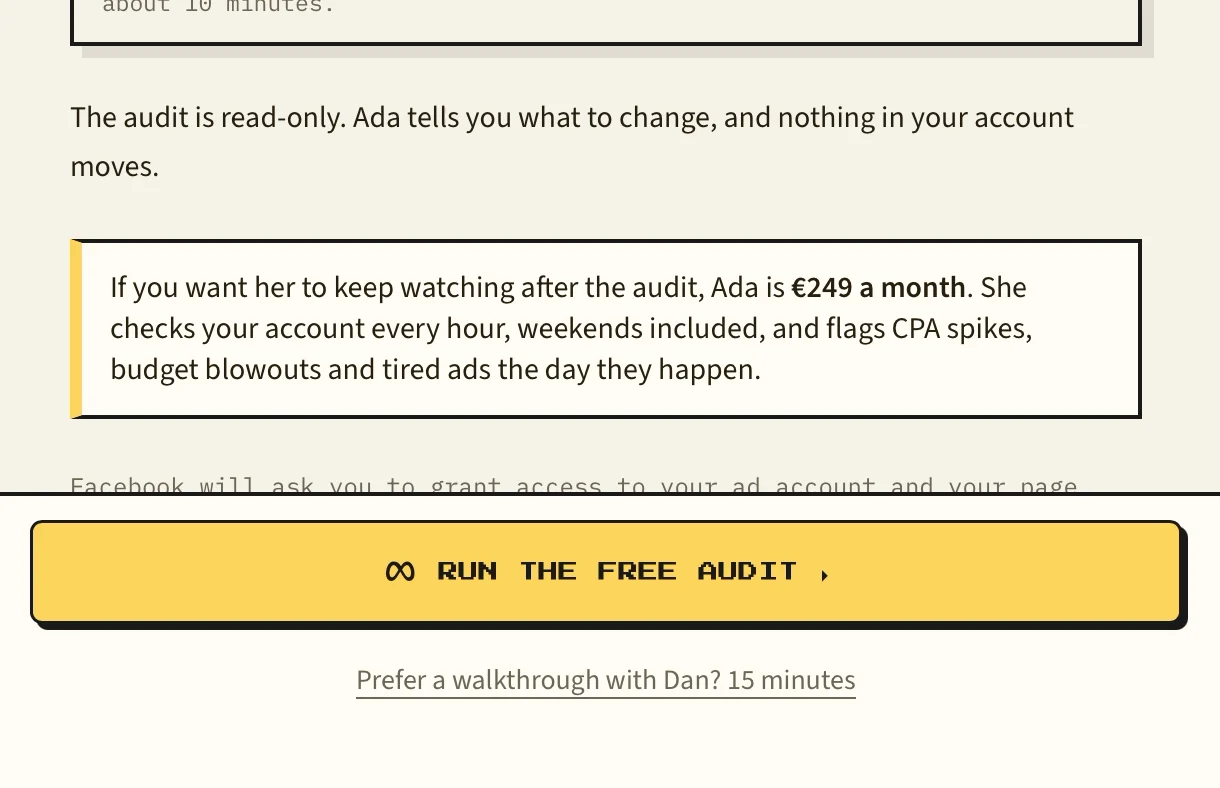
Free, or €249 a month? Will it charge me?
Under the button, another offer: "Prefer a walkthrough with Dan? 15 minutes." A grey line about Facebook hides behind the button bar.
Too much text, too many offers. What is happening?
4. Connecting Facebook
I press "Run the free audit." Facebook's own window opens, already asking what to share with Ada.
I don't have to find Ada anywhere in Facebook's settings. Nice.
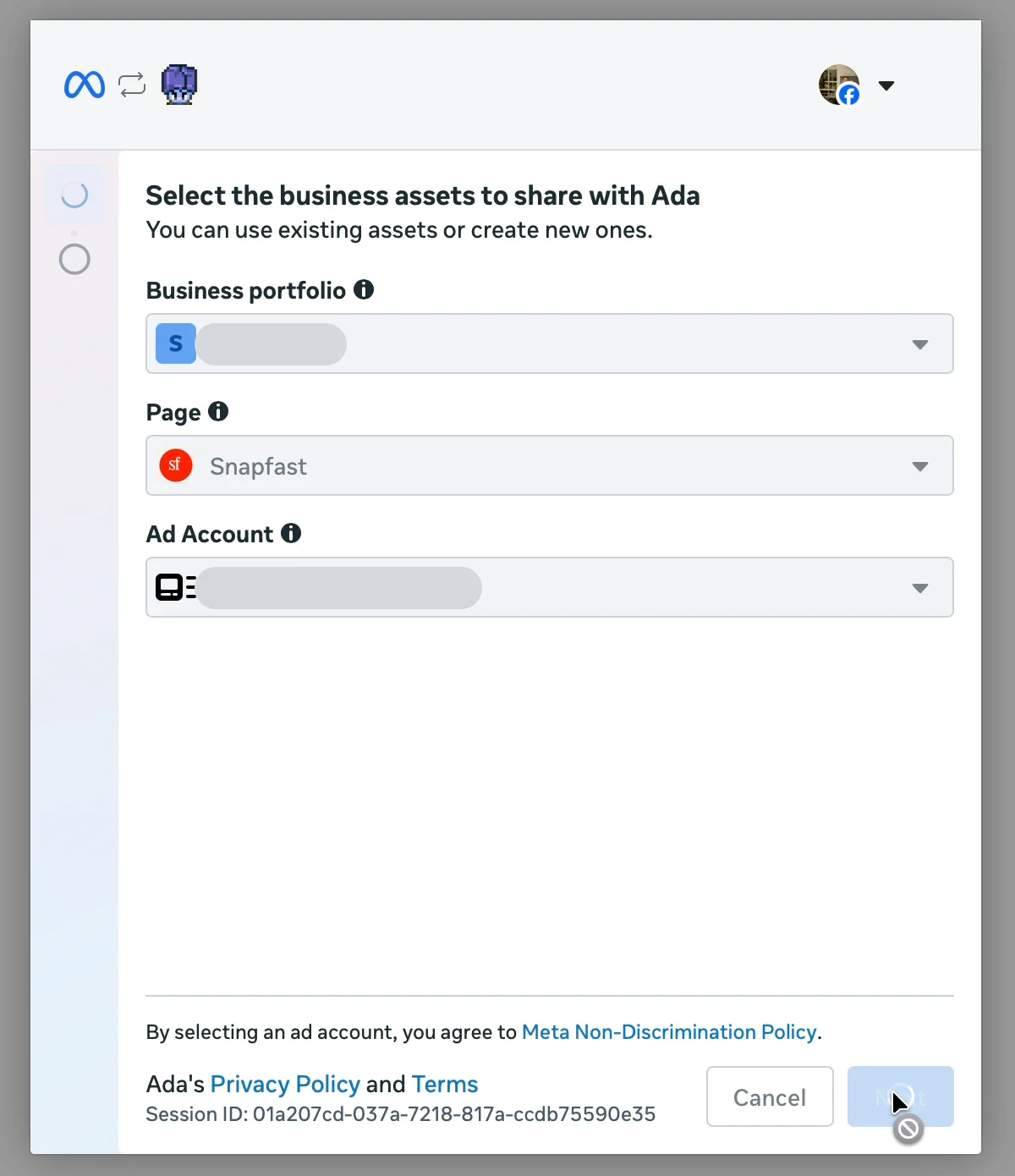
"Select the business assets to share with Ada." I pick my company, my Snapfast page and my ad account.
Then: "Review what you'll share with Ada." Ada will be able to "Access your Facebook ads and related stats" and "Read content posted on the Page."
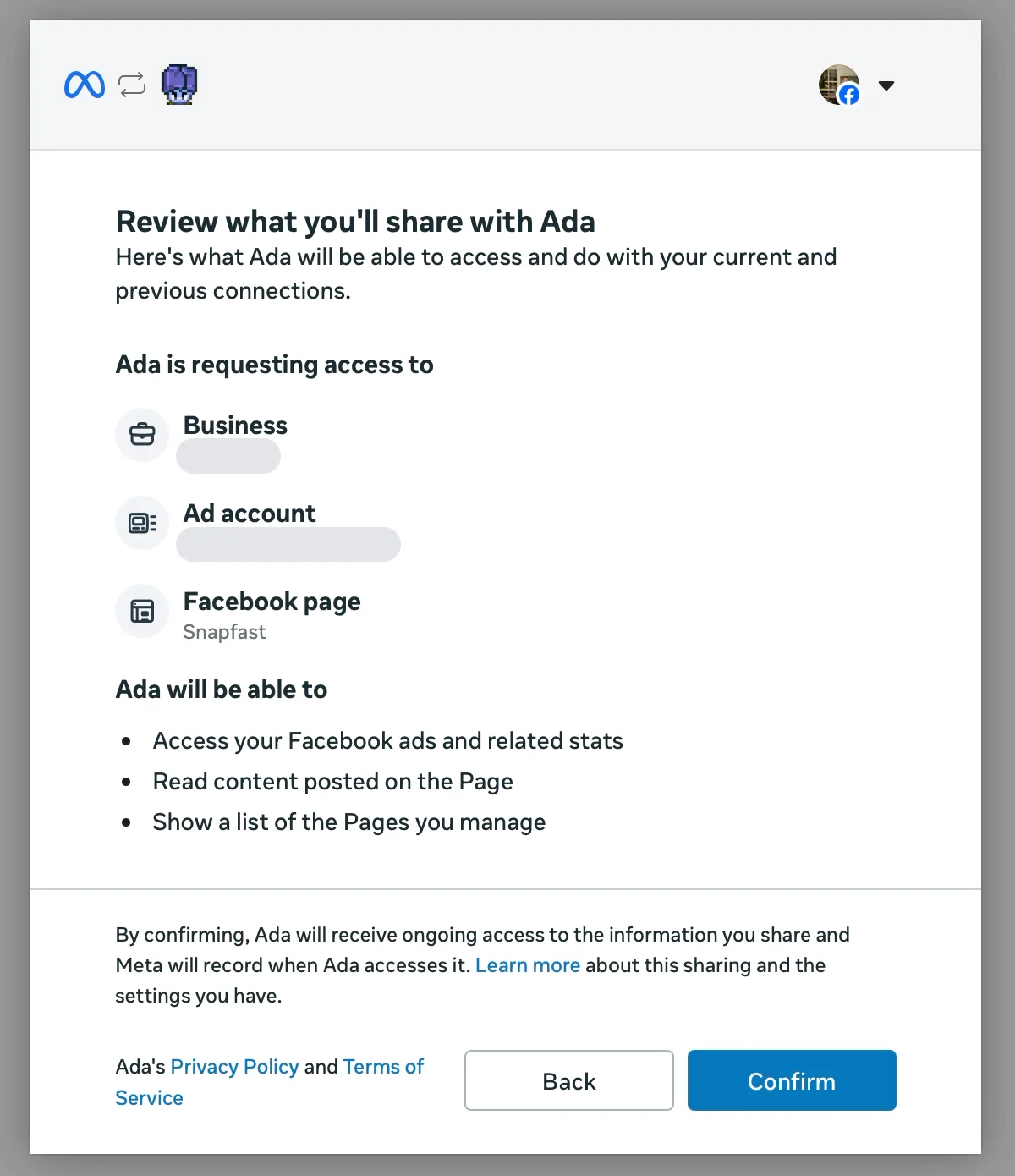
Reading, not changing. Same as the page said. I press Confirm.
✅ Ask to read first.
Ada asks only to read. It says so on its own page, on Facebook's, and later in its email.
5. The wait
Back on Ada's site, a chat.
"Checking your account's performance. Your audit link will also arrive by email."
Then:
"I'm Ada. Your audit is underway and will open here when it's ready. A few optional answers will help me understand your business."
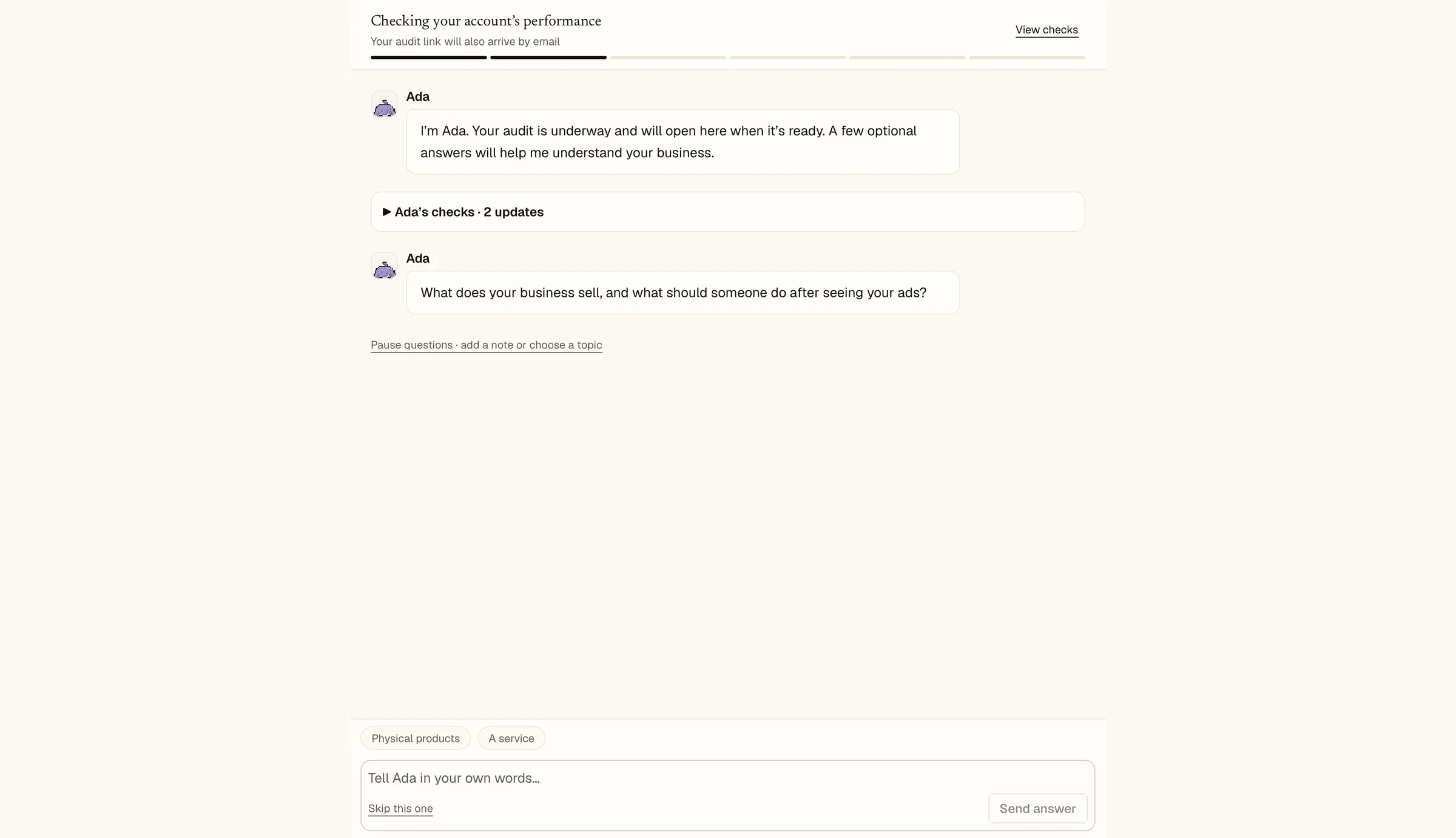
At the top, a loading bar: "Checking your account's performance." Right under it, Ada asks:
"What does your business sell, and what should someone do after seeing your ads?"
With two quick answers, "Physical products" and "A service," and a box to type in.
So which is it? Is Ada working on her own, or waiting for me? Does the bar stop until I answer?
The first message did say "optional." But the question sits right under a loading bar. I don't know if I should do something.
I open "Ada's checks · 13 updates." A list of what she's done so far: "Read 4 ads × 19 days of ad-level delivery history." "Split 90 days of results by weekday." "Checked which audience segments this account defines, and found none."
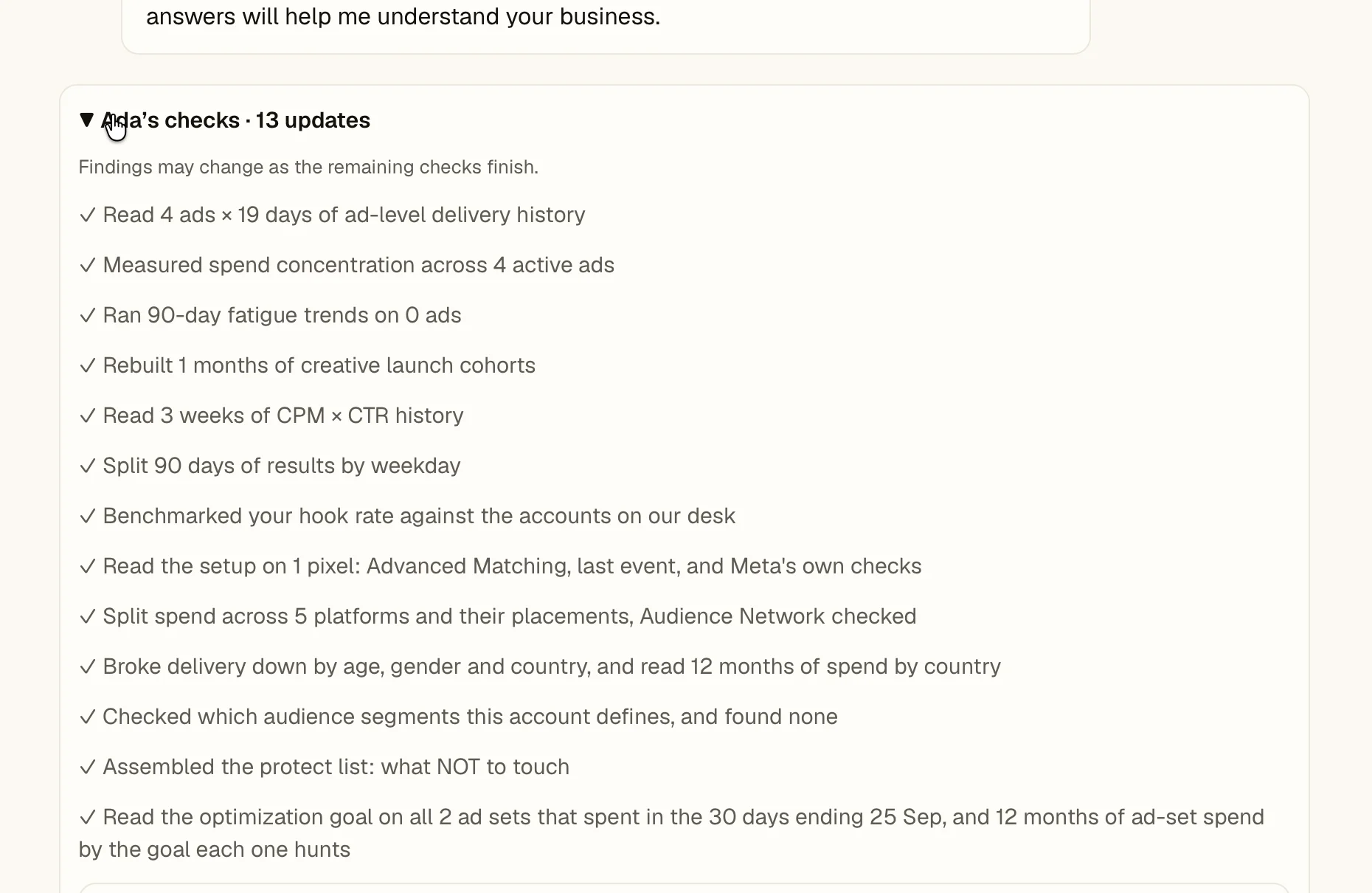
Some of it is ad-people talk. But it's real work, on my account, with my numbers. Something is happening.
✅ Show the work while you wait.
A bar at the top, and a list of real checks. This part works.
"Saved with your business notes"
But I don't really get what's going on. Is my audit coming here, or by email? How long?
So I ask, in my own words: "what is happening?"
"Saved with your business notes."
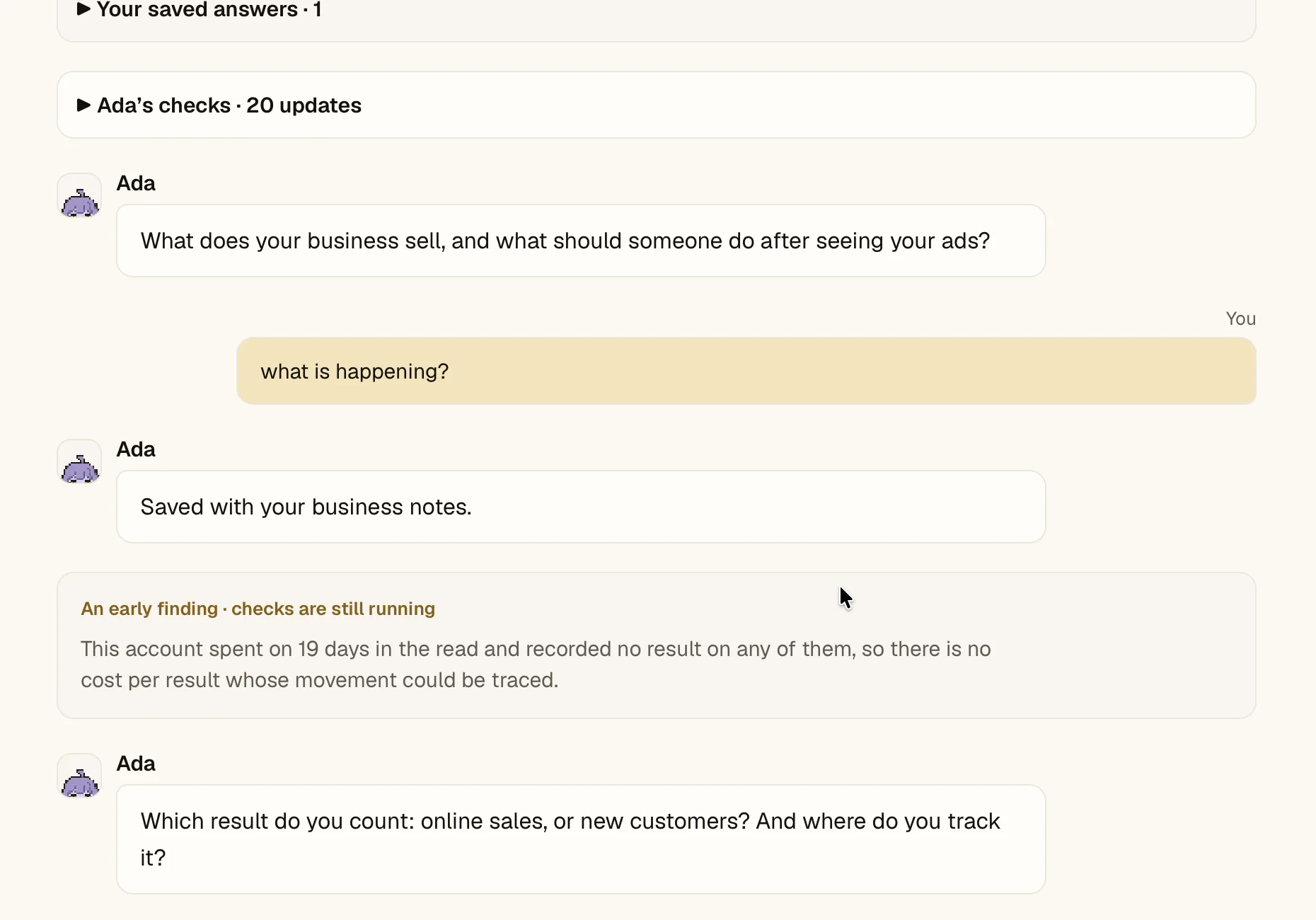

Then her next question: "Which result do you count: online sales, or new customers?"
The same question, three times
I play along. "new customers." "Saved with your business notes."
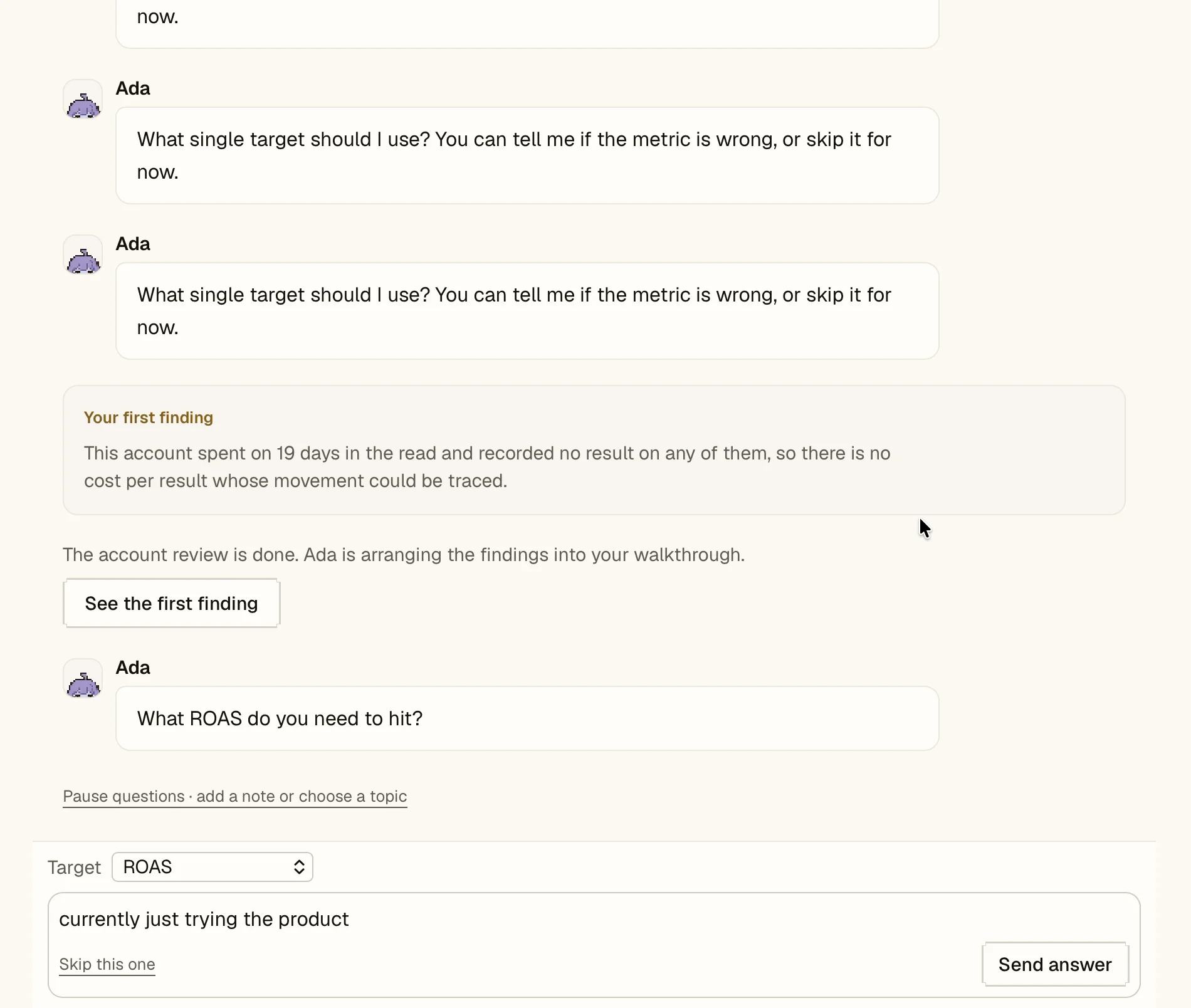
Then: "What ROAS do you need to hit?" ROAS is how much money comes back for every euro I spend on ads. I don't have a number yet.
So I type "currently just trying the product" and press "Send answer."
My answer stays in the box. Above it, Ada asks:
"What single target should I use? You can tell me if the metric is wrong, or skip it for now."
I press again. She asks again. Same words, three times.
Somewhere in between: "Your first finding," and a button, "See the first finding."
Should I click it? Answer first? Is the audit done? I don't know.
So I leave the tab and go check my email.
6. The main problem: Ada didn't answer
This chat is the first time I talk to Ada, the AI I'd pay $249 a month to watch my ads.
In it, she asked me four things, one of them three times. I asked her one. She saved it as a note.
An AI that doesn't answer in its own chat makes me wonder what else it isn't reading.
And I haven't seen the audit yet.
Ada's questions are optional, and they help her audit. That's fine. But a chat box says "talk to me." So I did.
❌ If it looks like a chat, it should answer like one.
7. The audit
I'd given up on the chat. If nothing else came, I was gone.
Thank God: a little later, an email from "Ada from Tinkers."
"I went through your ads and found something."
"€691 of €727 ran on two ads with identical copy. One tested message, not four."
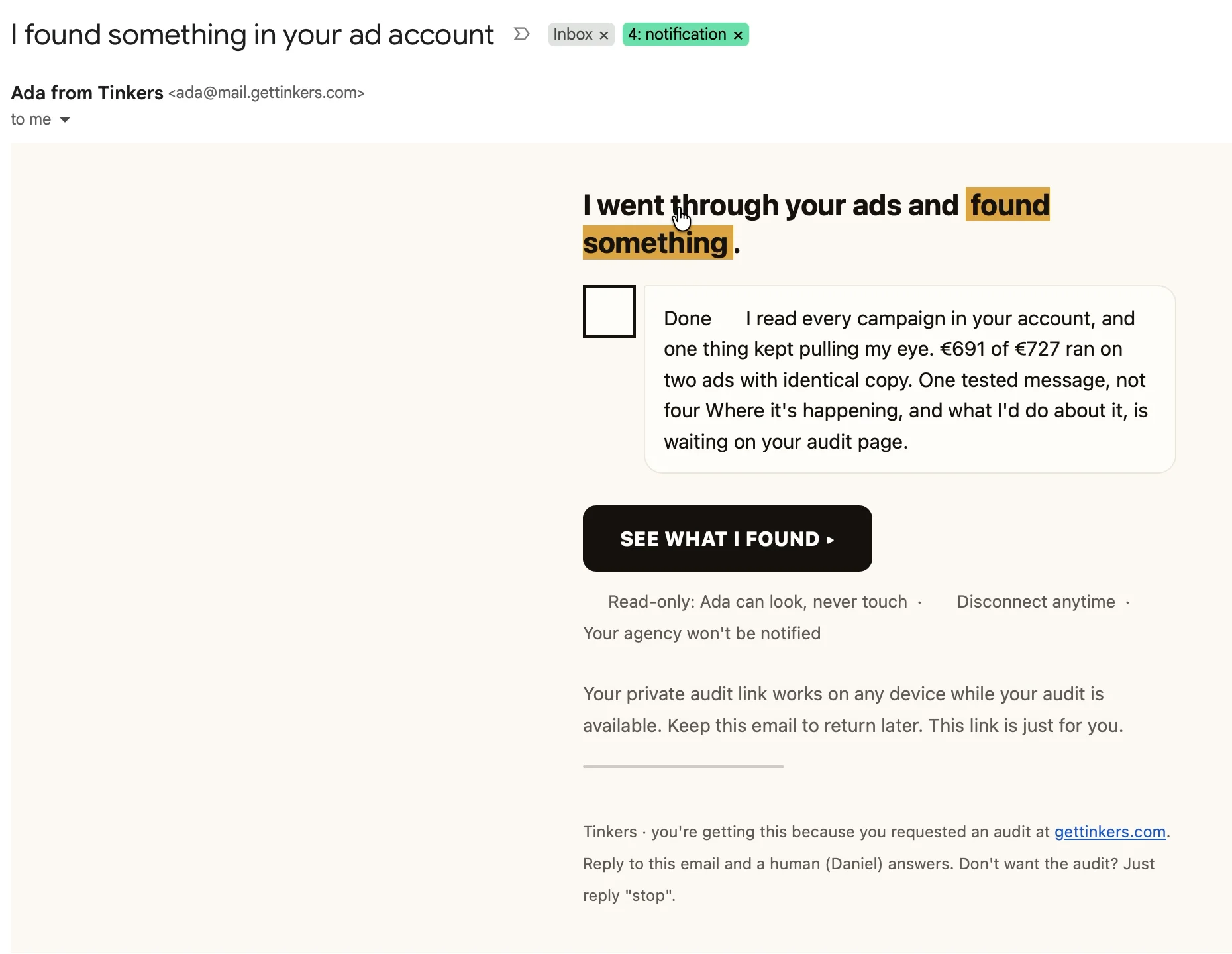
That's a real finding, about my ads, in one line.
At the very bottom: "Reply to this email and a human (Daniel) answers." There's Dan.
I click "See what I found."
It knows my app
"The account, explained. Read it in order, or go straight to a finding." Twelve parts.
Part 1, "What I understood you to be selling":
"Snapfast sells an app that tells beauty creators what to post next."
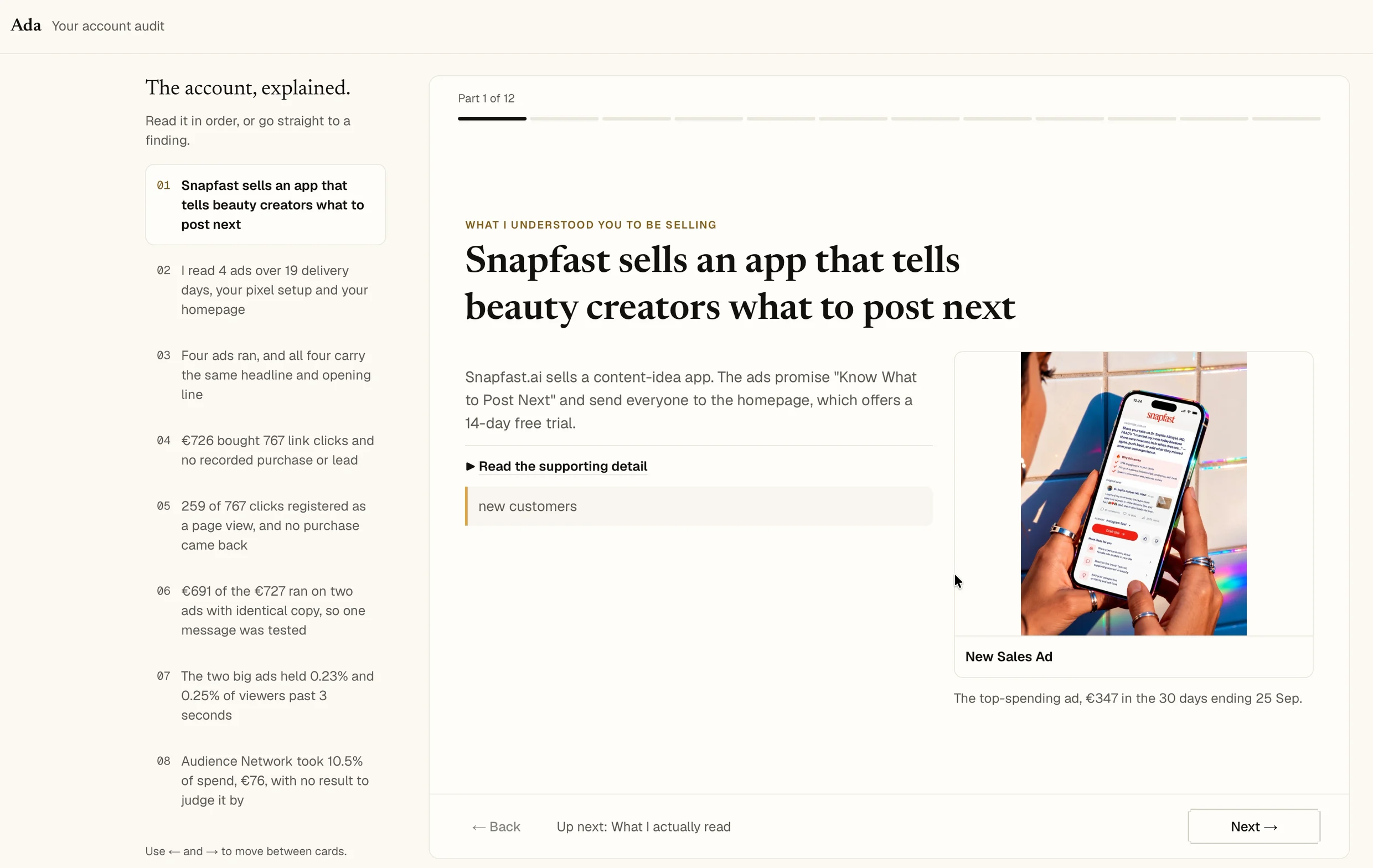
That's exactly what Snapfast does. Ada read my ads and my homepage and got it right in one line.

✅ My own data is the demo.
The audit is all mine: my app, my ads, my spend. This is the moment I believe it.
What to fix first
Part 4, "The one number":
"€726 bought 767 link clicks and no recorded purchase or lead."
95 cents a click, €80.72 a sign-up, zero sales recorded.
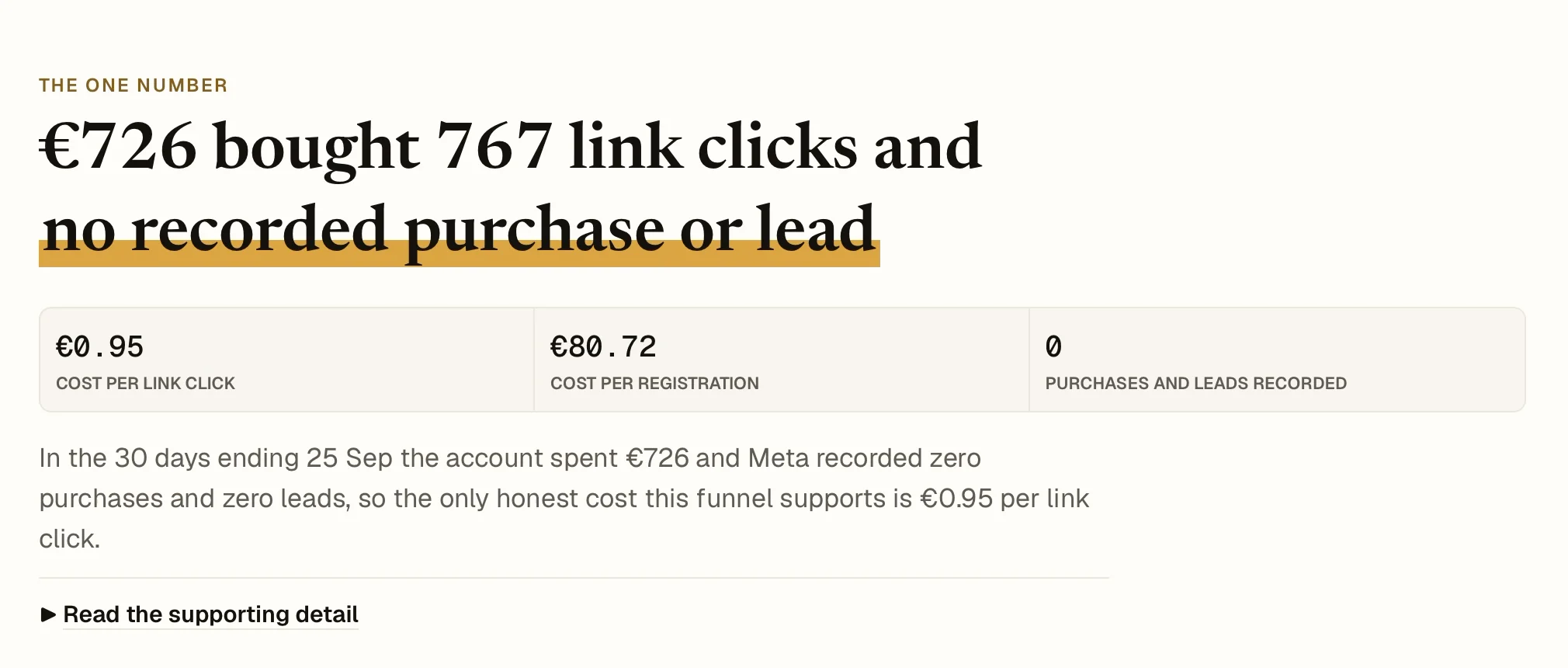
It hurts. It's also true.
Part 6: "€691 of the €727 ran on two ads with identical copy, so one message was tested." All four of my ads say "Know What to Post Next."
Then "What I'd do": write two or three different angles, and keep the current one running to compare.
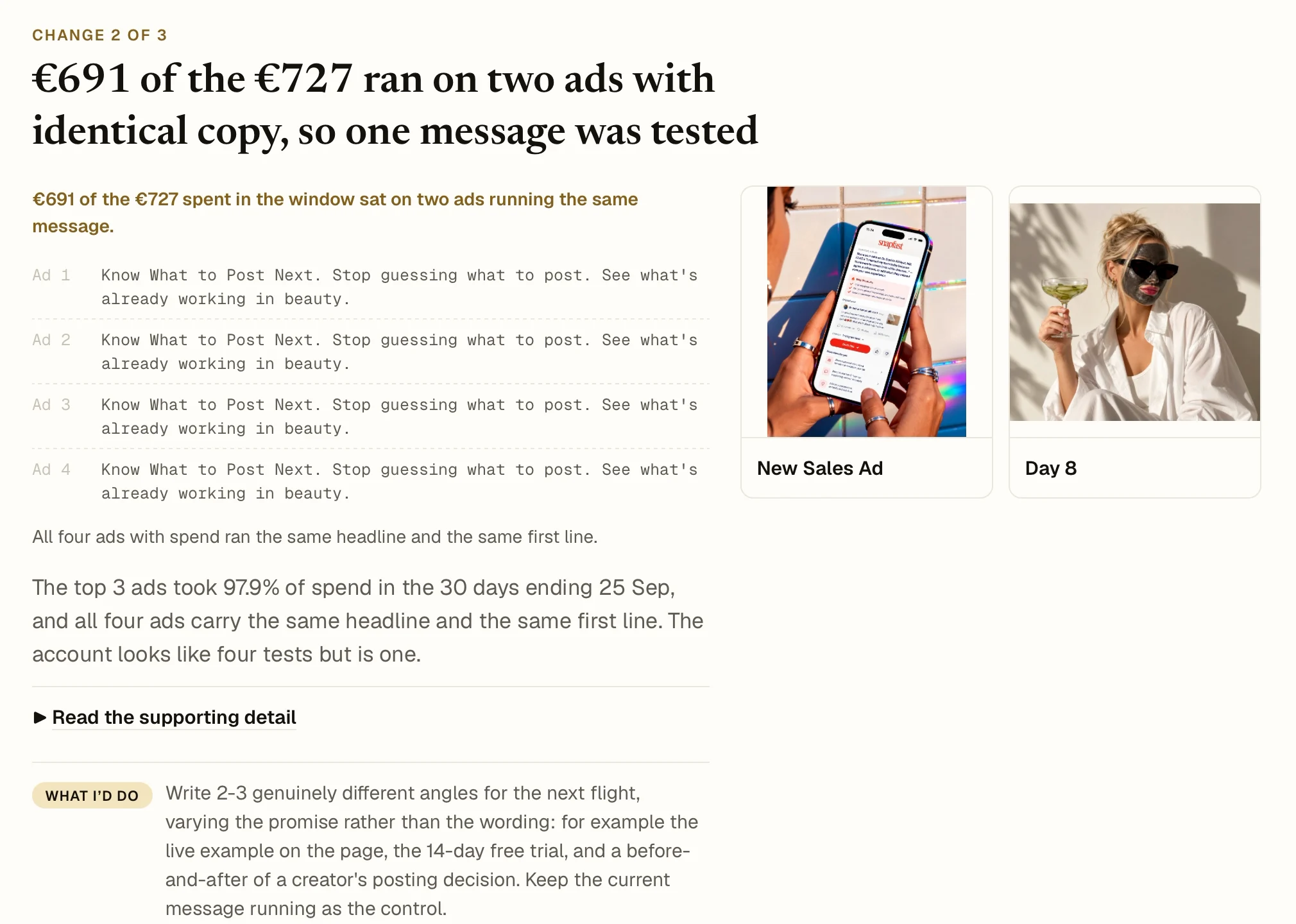
And part 11: "You got these right. Four foundations came back clean." With confetti.
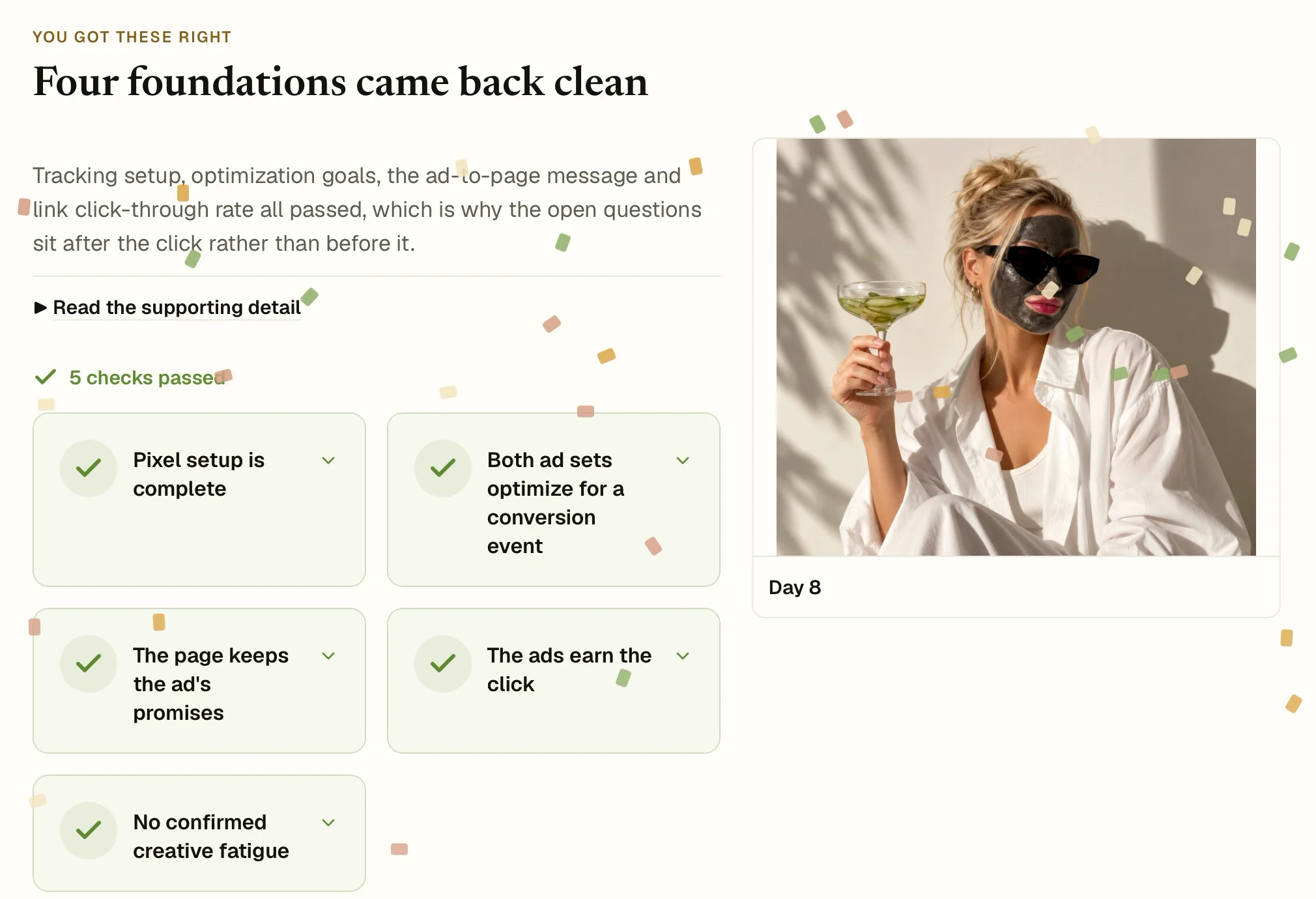
It doesn't only tell me what's wrong.
Two confirm buttons
Part 12: "Your AI media buyer, ready to get to work." "Put Ada to work. 7 days free · Then $249 a month. Card required."
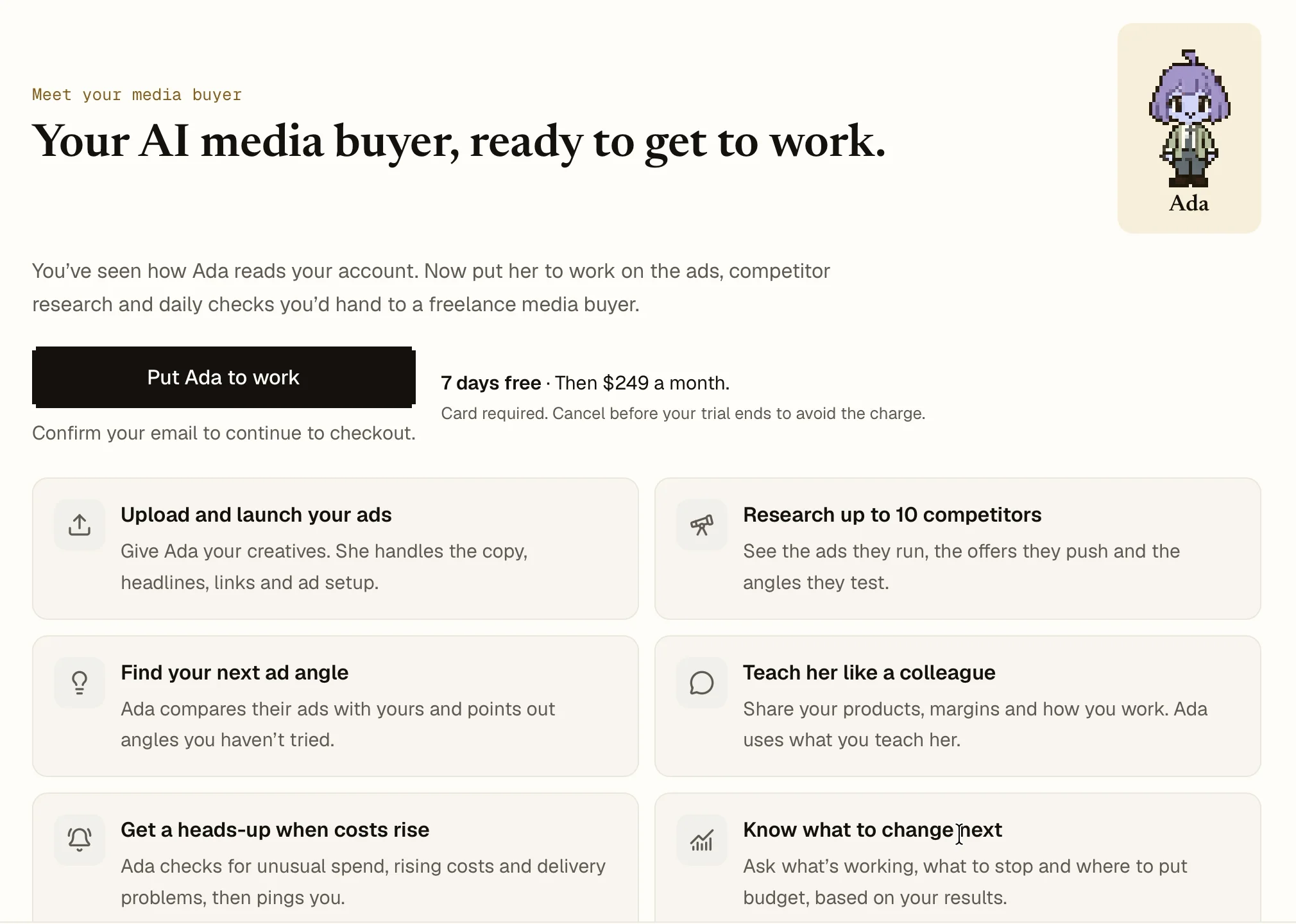
Fair. I click it.
"Confirm your email. After confirmation, secure checkout opens." Six boxes for a code, sent to my email. And at the bottom, a big black button: "Confirm your email."
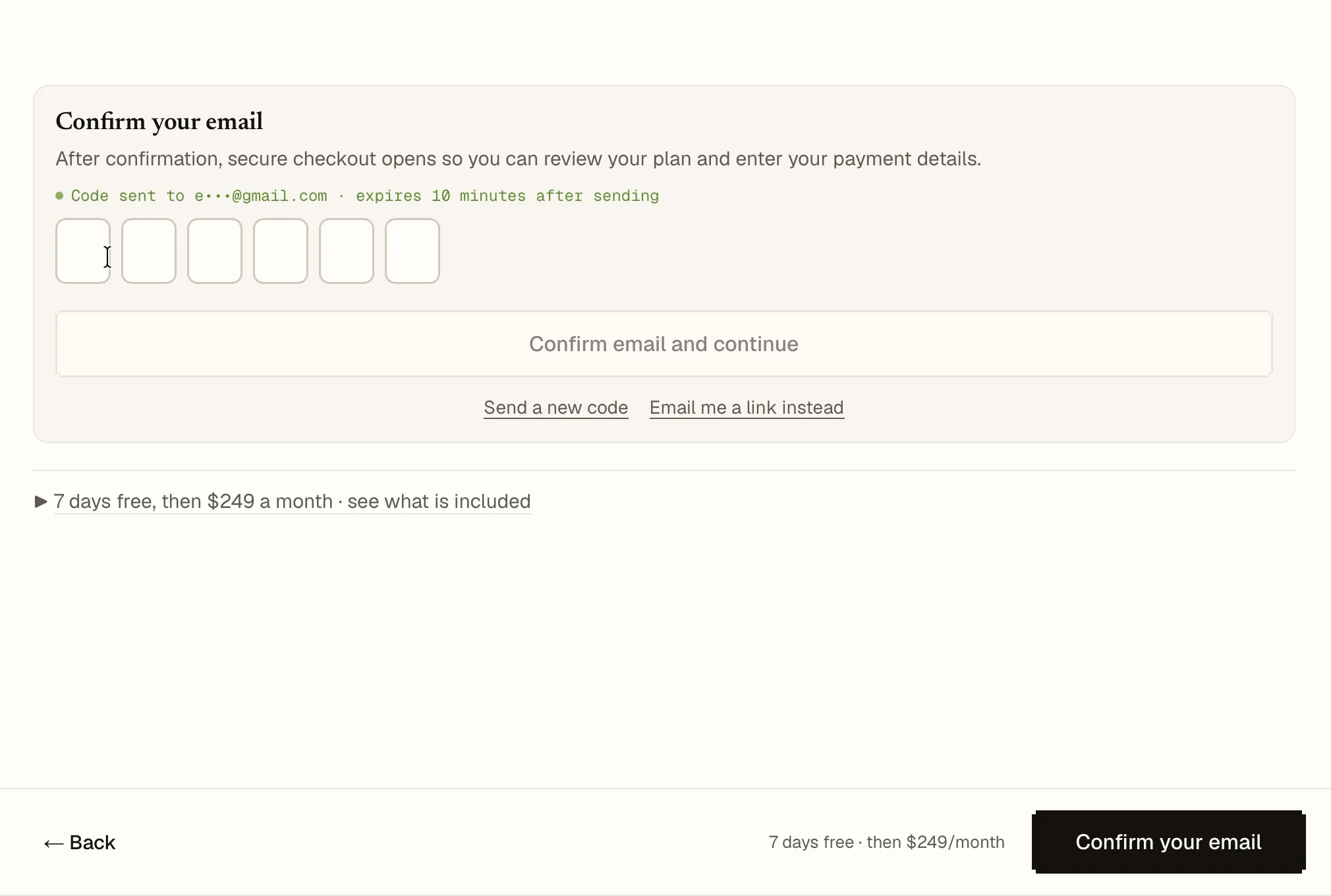
I paste the code from my email. Then I press the big black button. It flashes. Nothing.
I press again. And again. Nothing. No message, no error.
The button that works is the pale one up in the card, "Confirm email and continue." Only that one says "Checking the code..."
Two confirm buttons, and the one that looks ready does nothing.
Then the card page: "7 days free. Then €235.61 per month."
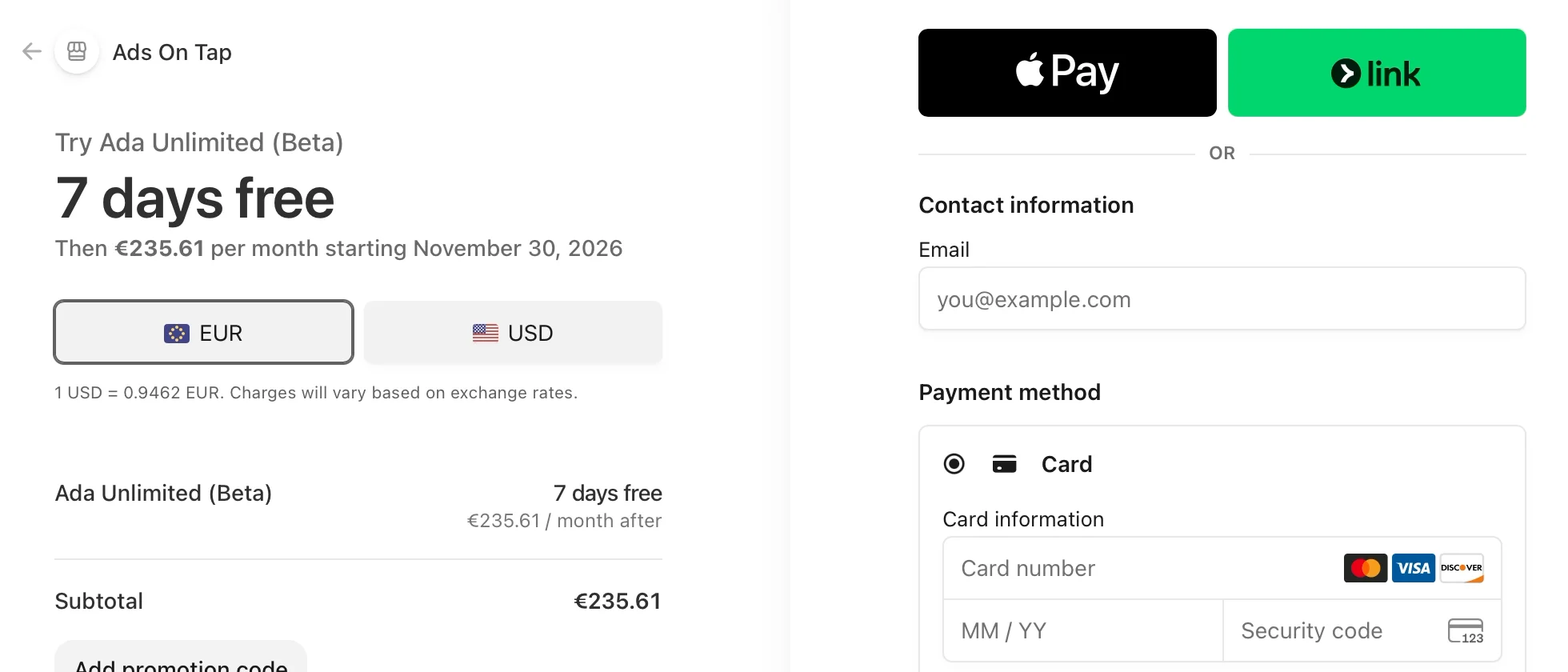
That's the audit's $249, turned into euros. But the page before the audit said "€249 a month." Euros or dollars?
Small things. But they land right when I'm deciding. I stop here.
8. What Ada gets right
Before my fixes: four things I'd keep exactly as they are.
✅ One tap per question. Five questions in under a minute. Each answer stays on top as a tag I can change.
✅ Read-only, every time. The page, Facebook and the email all say Ada looks but doesn't touch.
✅ It knows my business. Part 1 of the audit said what I sell, right, from my own ads and homepage.
✅ Numbers, then what to do. Each finding has my numbers and a "What I'd do" line. It says what I got right, too.
Keep all four. Fix the wait.
9. How I'd redesign it
So what would I change? Not the audit.
It read my four ads, knew what I sell, and told me what to do first. It even told me what I got right.
So I'd change the wait: the example card before I connect, and the chat while Ada works.
The example card: say what's real
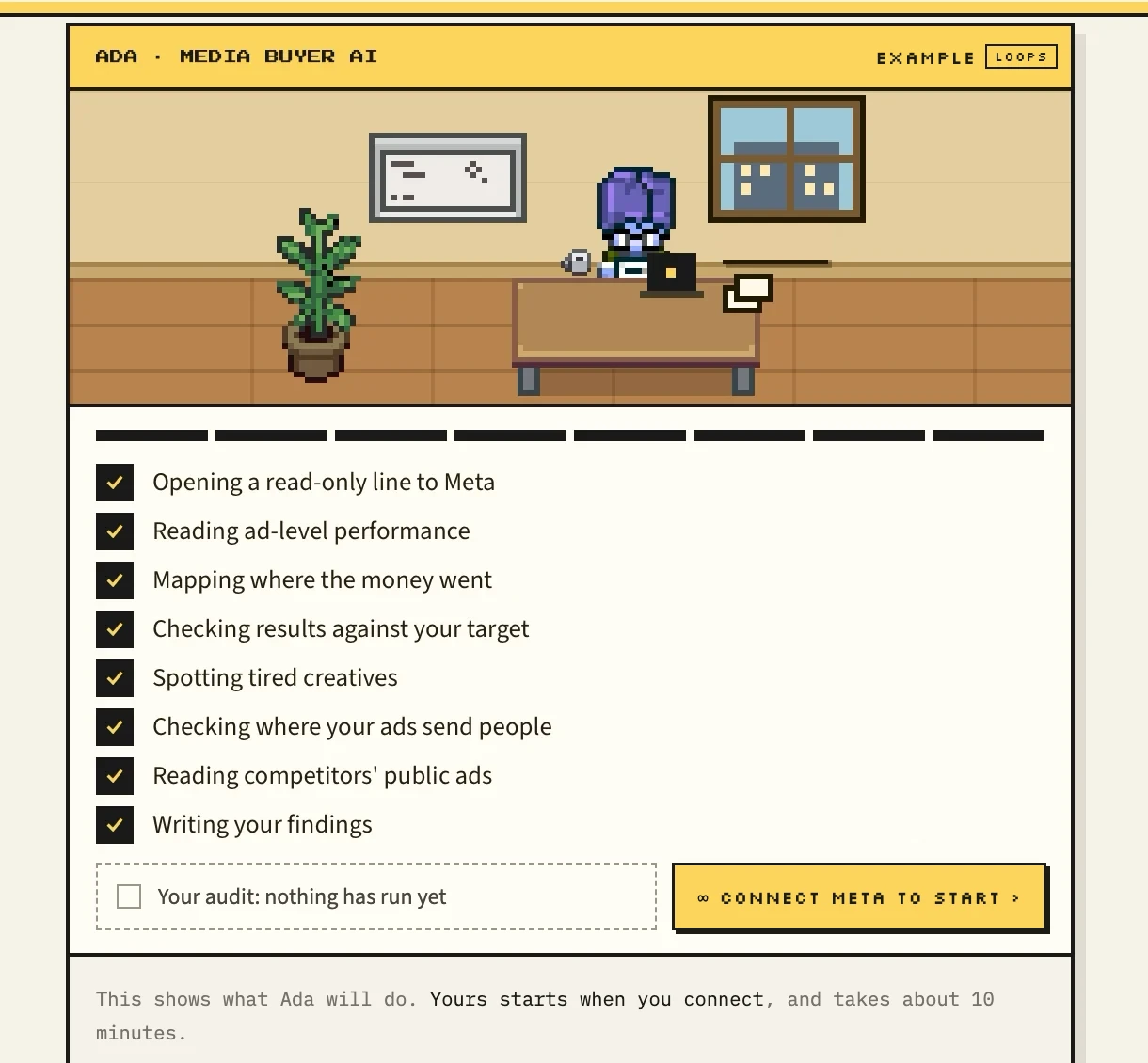
The badge says "Example" and "Loops." The last row says "Your audit: nothing has run yet." And under it: "This shows what Ada will do. Yours starts when you connect."
Why: I know nothing has happened yet, so I don't sit and wait for it.
The button sits right next to that row: "Connect Meta to start."
Why: The next click is next to the steps it starts, not in a bar at the bottom of the page.
The chat: answer me
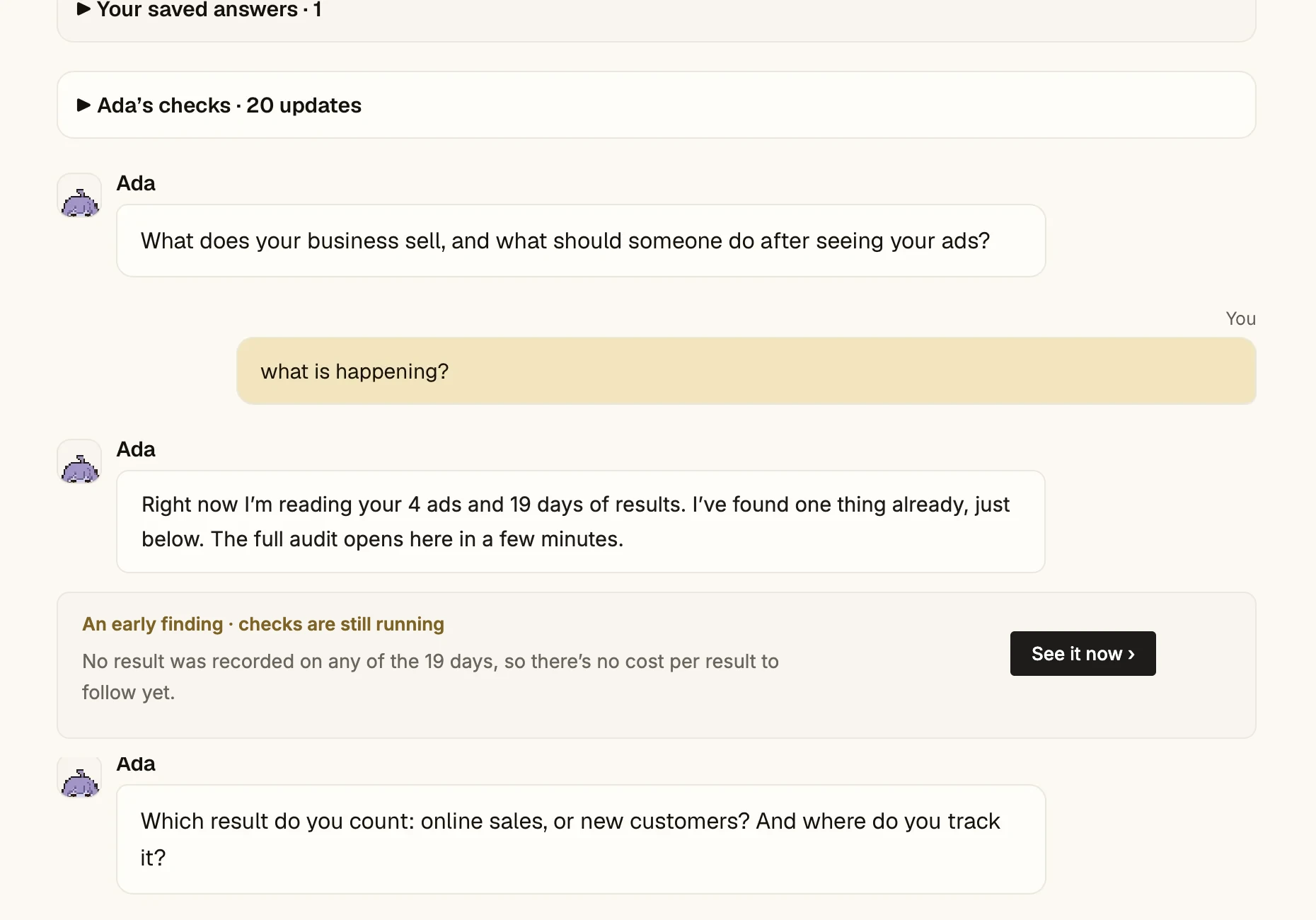
I ask "what is happening?" Ada answers: "Right now I'm reading your 4 ads and 19 days of results. I've found one thing already, just below. The full audit opens here in a few minutes."
The finding has its own button: "See it now."
Why: A chat that answers feels like someone is working for me.
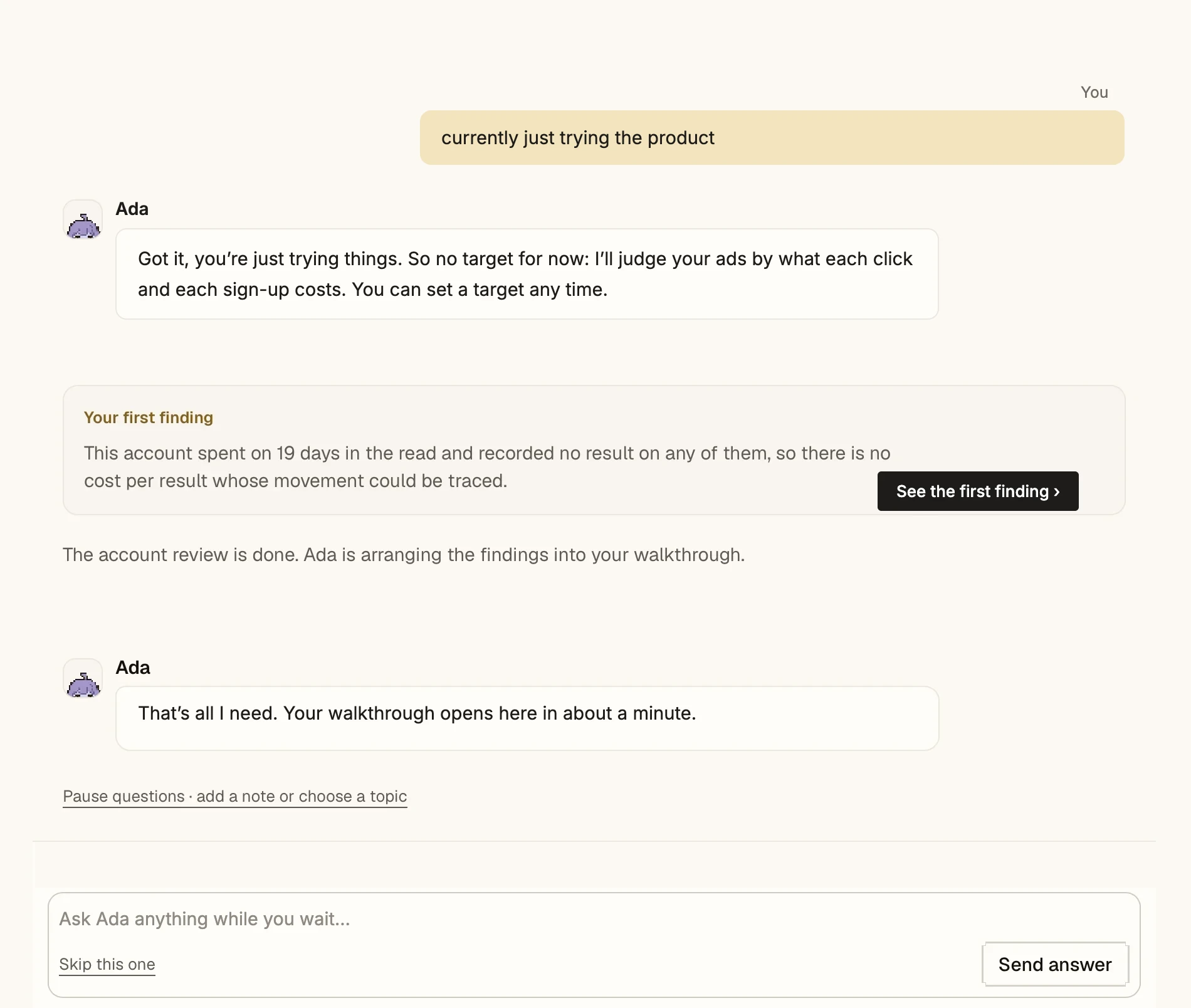
Then the target question. I type "currently just trying the product." Ada takes it: "So no target for now: I'll judge your ads by what each click and each sign-up costs."
Those are the numbers her own audit used.
"See the first finding" sits inside the finding card. And the chat says when it's done: "That's all I need. Your walkthrough opens here in about a minute."
Why: Nothing is asked twice. I know my answer was read, what's happening, and what to click.
10. Three tests I'd try first
If I worked on turning more Ada audits into paying customers, I'd start with these three.
Test 1: Ada answers in the chat
Problem: A question typed into the chat is saved as a note. An answer the chat can't use makes it ask the same question again.
Change: When someone asks something, Ada answers it: what she's doing, what she's found, when the audit opens. When an answer doesn't fit, she takes it and says what she'll do instead.
What I think will happen: More people stay on the page until the audit opens, and more of them read it to the end.
What to count: How many people who type in the chat open the audit, how many reach part 12, and how many press "Put Ada to work."
Test 2: An example that says it's an example
Problem: The example card ticks every step and says "Your audit is ready to read" before anything is connected.
Change: Mark it as an example, end it on "nothing has run yet," and put the connect button inside the card.
What I think will happen: People press the button sooner, and fewer leave the page waiting for a report that isn't coming.
What to count: Time from landing on the page to pressing the button, and how many press it at all.
Test 3: Name Ada on the homepage
Problem: The homepage promises Dan. Ada first shows up in step 4, asking for an email.
Change: Say it on the homepage: "Ada, our AI, audits your ads in 10 minutes. Then Dan reads it with you, if you want."
What I think will happen: Fewer people stop at the email step.
What to count: How many people who reach step 4 give their email, and how many book the walkthrough with Dan.
These are ideas to test, not promises. Some of them might not work.
11. The wait is part of the product
Ada gets a lot right.
The questions take a minute.
It says "read-only" everywhere, and means it.
And the audit is one of the best I've had from any tool. It knew my app, read my numbers, and told me what to fix first.
But I almost didn't get there.
An example said my audit was ready before I'd connected anything. The homepage's Dan turned into an AI at the email step. And in the chat, the AI saved my question as a note and asked me the same thing three times.
What Ada gets right
- The questions: One tap each, with answers kept on top.
- The promise: Read-only, on every screen.
- The audit: My app, my numbers, what to do first, and what I got right.
What I'd improve
- The chat: Answer questions, and take answers.
- The example: Say it's an example, and put the button next to it.
- The name: Say who Ada is before asking for my email.
- The price: One currency, from the first page to the card page.
- The code step: One confirm button, and a line that says the code is in my email.
The bigger lesson
AI products often make people wait while the AI works. That wait is usually treated as a loading screen.
But if the wait looks like a chat, it isn't a loading screen anymore. It's the first conversation with your AI. And people will judge the AI by it.
If your product talks while it works, ask one question:
When someone types into it, does it answer?
For Ada, the fix could be as simple as one honest reply.
Same audit. Same ten minutes.
But this time, I'd walk into it already trusting Ada.
Does your product talk while it works? And does it answer back? I'd love to hear how your product handles it.
I break down real sign-ups and free trials to show where they lose potential paying customers and how to improve the experience.
Want me to review your trial? DM me "teardown" on LinkedIn.
Eddy
Make the first run your best, not your cheapest
Zyte, Nov 23, 2026